A Scrapy user agent is the value Scrapy sends in the HTTP User-Agent request header. Set USER_AGENT in settings.py when the whole project should use one identity, use a spider's custom_settings for one crawler, or pass headers to scrapy.Request when a specific request needs an override.
Quick answer, checked against the Scrapy 2.19 docs (released 10 September 2026):
- Whole project:
USER_AGENT = "MyBot/1.0 (+https://example.org/bot)"insettings.py. - One spider:
custom_settings = {"USER_AGENT": "..."}on the spider class. - One request:
scrapy.Request(url, headers={"User-Agent": "..."}). - One run:
scrapy crawl myspider -s USER_AGENT="...". - Check what was sent: log
response.request.headers.get("User-Agent").
For most permitted crawls, a stable application-specific value is easier to operate than a random browser string. Changing the header alone does not turn Scrapy into Chrome, grant access, or fix excessive request volume. Review the source's terms and robots.txt, prefer an API or feed when one meets the need, and keep the crawl rate within the site's rules.
This guide implements each Scrapy user agent scope, explains which value wins, shows controlled rotation for legitimate compatibility testing, and separates user-agent problems from session, proxy, 403, and 429 failures.
Scrapy user agent quick setup
Add a project-wide value to your Scrapy project's settings.py:
USER_AGENT = "ExampleResearchBot/1.0 (+https://example.org/crawler-info)"
Scrapy's documented default is Scrapy/VERSION (+https://scrapy.org). The built-in UserAgentMiddleware uses the USER_AGENT setting unless that request already has a User-Agent header.
An application-specific value is useful when you operate a crawler and can publish a page that identifies its purpose and contact method. If you run authorized browser-compatibility tests, use the identity of the browser you actually operate rather than combining a browser user agent with Scrapy's non-browser behavior.
Keep the other controls explicit too:
ROBOTSTXT_OBEY = True

DOWNLOAD_DELAY = 2.0
AUTOTHROTTLE_ENABLED = True
AUTOTHROTTLE_TARGET_CONCURRENCY = 1.0
The project template enables ROBOTSTXT_OBEY, while Scrapy retains a false fallback for historical compatibility. Confirm the effective setting instead of assuming an older project has it enabled. Scrapy's AutoThrottle documentation also notes that AutoThrottle still respects the normal per-domain concurrency and minimum-delay settings.
Send a browser user agent in Scrapy
Some authorized tests need Scrapy to announce a browser instead of a crawler. Put a current string in custom_settings or settings.py. As of 15 October 2026, stable Chrome on Windows is 155 according to Chromium Dashboard, and Chrome's reduced user agent keeps the minor version at zero:
custom_settings = {
    "USER_AGENT": (
        "Mozilla/5.0 (Windows NT 10.0; Win64; x64) AppleWebKit/537.36 "
        "(KHTML, like Gecko) Chrome/155.0.0.0 Safari/537.36"
    ),
}
That string only changes one header. Scrapy still sends its own Accept and Accept-Language defaults, no sec-ch-ua client hints, and its own TLS handshake. A site that compares them sees a Chrome name on a non-Chrome client. Read the web scraping headers guide before you add more browser headers by hand, and use the user-agent checker in the browser you are matching to copy its exact string. If the page needs a real browser, the Selenium user agent guide covers that route.

Choose the right configuration scope
Use the narrowest scope that represents the real behavior you want.
| Scope | How to configure it | Best use |
|---|---|---|
| Project | USER_AGENT in settings.py |
Every spider belongs to the same crawler application |
| Spider | custom_settings on the spider class |
One spider needs a different application version or contact page |
| Request | headers={"User-Agent": ...} |
A particular endpoint or approved test case requires an explicit value |
| Middleware | process_request() |
A controlled profile must stay consistent across many related requests |
Do not use DEFAULT_REQUEST_HEADERS to set the user agent. Scrapy provides USER_AGENT for that job. DEFAULT_REQUEST_HEADERS is for other project-wide defaults; Scrapy's own default sets only Accept and Accept-Language.
There is a practical reason too. DefaultHeadersMiddleware runs at priority 400 and UserAgentMiddleware at 500, and both only fill a header that is still empty. A User-Agent key in DEFAULT_REQUEST_HEADERS is applied first, so it silently wins over USER_AGENT. If your USER_AGENT change has no effect, check this setting first.
The user_agent spider attribute is deprecated
Older tutorials set a class attribute such as user_agent = "MyBot/1.0" on the spider. UserAgentMiddleware still reads it and it still overrides USER_AGENT, but Scrapy 2.14 deprecated it in favor of the setting, and the middleware now logs a deprecation warning. Move the value into custom_settings = {"USER_AGENT": ...}.
Set a user agent for one spider
Use custom_settings when one spider needs a different default without changing the rest of the project:
import scrapy


class CatalogSpider(scrapy.Spider):
    name = "catalog"
    allowed_domains = ["example.com"]
    start_urls = ["https://example.com/catalog"]

    custom_settings = {
        "USER_AGENT": (
            "ExampleCatalogMonitor/2.1 "
            "(+https://example.org/crawler-info)"
        ),
    }

    def parse(self, response):
        for product in response.css("article.product"):
            yield {
                "name": product.css("h2::text").get(),
                "url": response.urljoin(product.css("a::attr(href)").get()),
            }
Scrapy applies spider settings above project settings, so this spider uses its own value while other spiders continue to use settings.py. Keep configuration at class level; do not mutate the global settings object after crawling has started.
Override the header for one request
Pass headers when one request genuinely needs a different value:
import scrapy


class CompatibilitySpider(scrapy.Spider):
    name = "compatibility"

    async def start(self):
        yield scrapy.Request(
            "https://example.com/public-page",
            headers={
                "User-Agent": (
                    "ExampleCompatibilityCheck/1.0 "
                    "(+https://example.org/crawler-info)"
                ),
            },
        )

    def parse(self, response):
        sent_user_agent = response.request.headers.get(
            "User-Agent", b""
        ).decode()
        self.logger.info("Sent User-Agent: %s", sent_user_agent)
The request-specific header wins because UserAgentMiddleware only supplies its configured value when the header is absent. The Request.headers documentation describes the case-insensitive dictionary-like header object Scrapy uses.
This example uses async def start(), the current initial-request API. Scrapy 2.16 removed start_requests() after deprecating it in 2.13, so Scrapy no longer calls that method. A spider that must also run on Scrapy older than 2.13 can define both.
If every request from the spider needs the same value, prefer custom_settings. Repeating the same header at every call site makes later changes easy to miss.
How Scrapy applies the user agent
The built-in flow is straightforward:
- Your spider creates a
Request. - Downloader middleware processes that request in configured order.
UserAgentMiddlewarechecks for an existingUser-Agentheader.- If none exists, it adds the value from
USER_AGENT. - The downloader sends the resulting request.
The effective order, from strongest to weakest, is:
- A
User-Agentheader passed to theRequest, or set by a custom middleware that runs before priority 500. - A
User-Agentkey inDEFAULT_REQUEST_HEADERS. - The deprecated
user_agentspider attribute. - The
USER_AGENTsetting, where-son the command line beatscustom_settings, which beatssettings.py.
Command-line settings have the highest settings priority, so scrapy crawl ... -s USER_AGENT=... overrides project and spider settings for that run.
Use the command-line form for a temporary diagnostic, not as hidden production configuration:
scrapy crawl catalog \
  -s USER_AGENT="ExampleResearchBot/1.1 (+https://example.org/crawler-info)"
The same -s option works with scrapy shell, which is the fastest way to test one URL with a changed value. Inside the shell, response.request.headers shows what Scrapy sent for the fetched page.
Record the active value with each deployment. Otherwise, a crawler can behave differently in a worker than it does on a developer machine even though the spider code is identical.
User-Agent and robots.txt matching
ROBOTSTXT_USER_AGENT is related but separate. It selects the user-agent token Scrapy uses when matching robots.txt groups. When that setting is None, Scrapy uses a request-specific User-Agent header or the USER_AGENT setting, in that order.
The Scrapy settings reference documents that lookup. The Robots Exclusion Protocol defines how crawlers match product tokens and access rules, but robots directives do not replace permission, site terms, privacy review, or applicable law.
Should you rotate Scrapy user agents?
Do not rotate the Scrapy user agent on every request by default. Random changes make logs harder to compare and can conflict with cookies, language, client capabilities, or a stable proxy session.
Rotation is reasonable when you own or have authorization to test multiple supported client profiles. In that case, select a profile deliberately and keep it stable for the logical session. A custom downloader middleware can enforce that policy:
from hashlib import sha256
from urllib.parse import urlsplit


class StableUserAgentMiddleware:
    def __init__(self, user_agents):
        self.user_agents = user_agents

    @classmethod
    def from_crawler(cls, crawler):
        return cls(crawler.settings.getlist("USER_AGENT_PROFILES"))

    def process_request(self, request, spider=None):
        if not self.user_agents or "User-Agent" in request.headers:
            return None

        profile_key = request.meta.get("session_id")
        if profile_key is None:
            profile_key = urlsplit(request.url).hostname or "default"

        digest = sha256(str(profile_key).encode()).digest()
        index = int.from_bytes(digest[:4], "big") % len(self.user_agents)
        request.headers["User-Agent"] = self.user_agents[index]
        return None
Register it before the built-in user-agent middleware and provide the approved profiles:
DOWNLOADER_MIDDLEWARES = {
    "myproject.middlewares.StableUserAgentMiddleware": 490,
}

USER_AGENT_PROFILES = [
    "ExampleCompatibilityCheck/1.0 (+https://example.org/crawler-info)",
    "ExampleCompatibilityCheck/1.1 (+https://example.org/crawler-info)",
]
The spider=None default keeps the middleware working on older Scrapy releases, which pass the spider, without the deprecation warning that current Scrapy logs for middleware methods that require it. The middleware respects an explicit request header, then chooses the same configured profile for the same session_id. Without a session ID, it stays stable per target hostname. Because the built-in middleware uses setdefault, it will not replace the value this middleware has already chosen.
Use real, maintained profiles that correspond to your test plan. To record the exact string a browser sends, open the user-agent checker in that browser and copy its navigator.userAgent value. A stale list copied from the internet creates the appearance of variety without reproducing the advertised clients' TLS behavior, JavaScript, cookies, content encodings, or browser-generated headers. The broader web scraping headers guide explains why a coherent minimal request is safer than a copied browser header bundle.
Keep user agent, cookies, and proxy sessions aligned
Headers and proxies operate at different layers. The user agent describes the client; the proxy changes the network route. Neither substitutes for correct authentication, request pacing, or permission.
If a workflow keeps cookies across multiple pages, keep its user-agent profile, cookie jar, and proxy session stable too. Use the same identifier for the middleware's session_id and Scrapy's cookiejar, then pass all session metadata to follow-up requests:
import os
import scrapy


class RegionalCatalogSpider(scrapy.Spider):
    name = "regional_catalog"

    async def start(self):
        session_key = "catalog-us-1"
        yield scrapy.Request(
            "https://example.com/catalog",
            callback=self.parse_catalog,
            meta={
                "proxy": os.environ["PROXY_URL"],
                "session_id": session_key,
                "cookiejar": session_key,
            },
        )

    def parse_catalog(self, response):
        next_page = response.css("a.next::attr(href)").get()
        if next_page is None:
            return

        yield response.follow(
            next_page,
            callback=self.parse_catalog,
            meta={
                "proxy": response.meta["proxy"],
                "session_id": response.meta["session_id"],
                "cookiejar": response.meta["cookiejar"],
            },
        )
Scrapy's HttpProxyMiddleware reads the proxy request metadata. CookiesMiddleware uses one cookie jar by default, but the cookiejar request key lets one spider maintain separate logical cookie sessions. That key is not sticky: if you omit it from the follow-up, Scrapy falls back to the default jar instead of continuing the selected session.
Keep credentials in an environment variable or secret manager, never in the spider or logs. Use a sticky proxy route for a multi-page session; per-request rotation is better reserved for independent requests that do not share cookies or state. For long stateful flows such as retail checkout or ticketing sessions, a static address from the ISP plans keeps one IP for the whole session.
If routing is the verified constraint, compare residential proxies for location and rotation with stable options in the best proxy for web scraping guide. Changing IPs will not repair a wrong selector, a login requirement, or an excessive crawl rate.
Debug a Scrapy user agent that is not working
First verify what Scrapy actually sent. Log response.request.headers, use a controlled endpoint you are authorized to inspect, or capture the request on a test server you own. Redact cookies, authorization, and proxy credentials before saving logs.
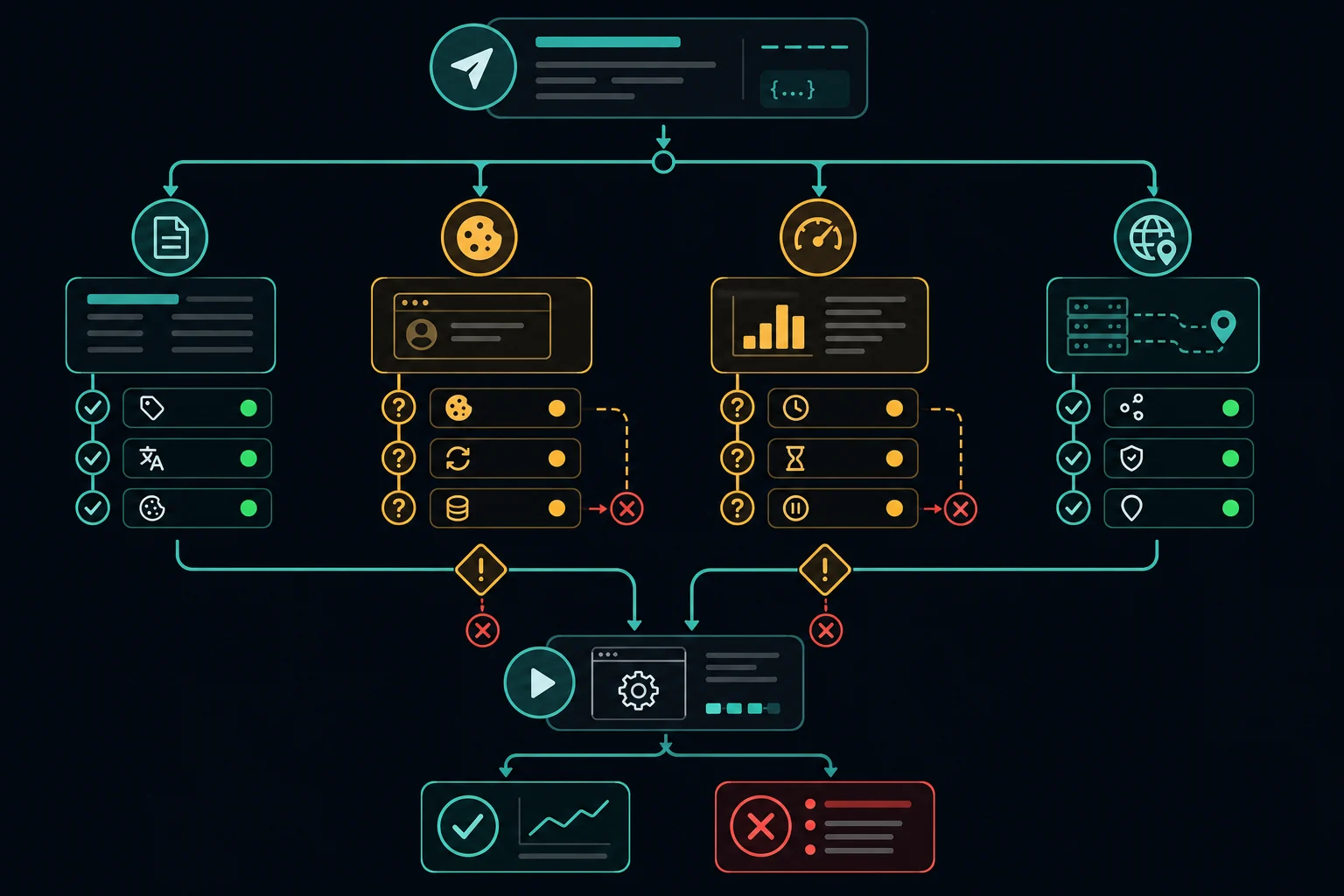
Then work through the failure by layer:
| Symptom | Likely layer | What to check first |
|---|---|---|
| Expected user agent is missing | Scrapy configuration | Setting name, active spider settings, middleware order, request override |
| Old value still appears | Deployment/configuration | Worker release, -s command-line override, environment-specific settings |
403 Forbidden |
Authorization, policy, session, request profile, or reputation | Response body, login state, permitted access method, cookies, headers, low-rate direct test |
429 Too Many Requests |
Rate limiting | Retry-After, concurrency, delay, cache use, retry loop |
407 Proxy Authentication Required |
Proxy authentication | Proxy URL, encoded credentials, plan status, endpoint, IP allowlist |
| HTML differs by region or language | Content selection | Target URL, account locale, cookies, Accept-Language, proxy location |
The header does not match USER_AGENT
Search for every place that can set it:
rg -n "USER_AGENT|User-Agent|UserAgentMiddleware" .
Check custom_settings, DEFAULT_REQUEST_HEADERS, a user_agent spider attribute, request headers, downloader middleware, command-line -s options, and deployment-specific settings modules. Scrapy settings have priorities; editing the lowest-priority file will not change a higher-priority value.
Also inspect middleware that replaces headers rather than using setdefault. A custom middleware running later can overwrite the built-in value even when settings.py is correct.
The site still returns 403
A correct Scrapy user agent can fix only a user-agent-specific configuration problem. It cannot resolve missing authorization, disallowed automation, expired cookies, a CSRF flow, browser-only rendering, IP reputation, or a firewall rule. The Scrapy 403 troubleshooting guide shows how to let the denied response reach a diagnostic callback and test those layers one at a time.
Run a controlled comparison at low rate. Keep the URL, cookies, proxy, and delay fixed; change only the user-agent configuration. If both attempts return the same response classification, restore the honest stable value and investigate the other layers.
Do not keep cycling strings against an access denial. If the site requires an approved API, account, or browser workflow, use that supported path.
The site returns 429
429 Too Many Requests is a pacing problem, not evidence that the user-agent string is wrong. Honor Retry-After when present, lower per-domain concurrency, add delay and bounded backoff, cache unchanged responses, and stop immediate retries.
AutoThrottle can adjust delay from observed latency, but it does not grant more capacity. Start conservatively and measure responses by endpoint. The HTTP 429 guide covers retry and monitoring decisions in more detail.
The direct request works but the proxy request fails
Keep the user agent constant and test the proxy separately. A 407 points to proxy authentication. A timeout points to the proxy route, target, DNS, or network path. A target-generated 403 or 429 means the proxy likely connected but the target rejected or limited the request.
Verify the exit IP with a neutral endpoint, then compare one direct and one proxied request at the same low rate. Do not rotate headers and proxies simultaneously; changing two variables hides the cause.
Production checklist
Before deploying the spider:
- Use one clear
USER_AGENTdefault for the project or spider. - Publish a crawler information/contact page when an application-specific identity is appropriate.
- Confirm the effective
ROBOTSTXT_OBEYandROBOTSTXT_USER_AGENTsettings. - Override individual requests only when the endpoint or test case requires it.
- Keep user agent, cookies, locale, and proxy route stable within a stateful session.
- Set timeouts, conservative concurrency, bounded retries, and backoff.
- Classify
403,407,429, timeout, and parse failures separately. - Log the header-policy version, not secrets or full cookie values.
- Run a small canary crawl before increasing scope or concurrency.
The goal is reproducibility. When the response changes, you should be able to identify whether the cause was code, configuration, rate, session state, proxy route, or target behavior.
FAQ
What is Scrapy's default user agent?
Scrapy documents the default as Scrapy/VERSION (+https://scrapy.org), where the installed version is inserted at runtime. Set USER_AGENT if your crawler should use a specific application identity.
How do I set a user agent in Scrapy?
Set USER_AGENT in settings.py for the project, add it to a spider's custom_settings for one spider, or pass headers={"User-Agent": "..."} to scrapy.Request for one request. A request header wins over both settings.
How do I check which user agent Scrapy sent?
Log response.request.headers.get("User-Agent") in a callback, or open scrapy shell -s USER_AGENT="..." <url> and read response.request.headers. Both show the final header after all middleware ran.
Why is my Scrapy USER_AGENT setting ignored?
The usual causes are a User-Agent key in DEFAULT_REQUEST_HEADERS, a user_agent attribute on the spider, a per-request header, a custom middleware, or a -s USER_AGENT=... option in the deploy command. Search the project for all of them.
Can Scrapy rotate user agents automatically?
The built-in middleware supplies one configured value. Controlled rotation needs custom or third-party middleware. Prefer a stable profile per logical session, and rotate only for authorized tests that need several maintained profiles.
How do I make Scrapy send a Chrome user agent?
Set USER_AGENT to the current Chrome string, for example Chrome/155.0.0.0 in the reduced format shown above. Scrapy will still send its own Accept headers, no client hints, and its own TLS handshake, so the string changes the label and nothing else.
Will changing the Scrapy user agent fix 403 errors?
Only when the denial is caused by that header. A 403 may instead come from authorization, policy, cookies, browser requirements, request behavior, firewall rules, or network reputation. Change one variable at a time.
Final thoughts
Set one explicit USER_AGENT, narrow it to a spider or request only where needed, and log the header Scrapy actually sent. If you rotate profiles for authorized tests, keep each choice tied to its cookies, locale, and proxy session. Treat the header as one part of the request: diagnose 403, 407, 429, session, and routing failures separately, and check the HTTP 403 guide when the user agent is already correct.