A YouTube proxy is a server that sits between your browser and YouTube, so YouTube sees the proxy's IP address instead of yours. The term covers two different things. A free "proxy site" loads YouTube inside another web page. A proxy server (residential, ISP, or datacenter) is set in a browser or tool for a specific job.
The short answer: use a static ISP proxy for recurring YouTube Studio work, a sticky residential proxy for a one-off country check, and a VPN for privacy on public Wi-Fi. Never sign in to a Google Account through a free proxy site.
- YouTube is blocked on a school or work network. Ask the network admin to allow it. Getting around the filter with a proxy usually breaks the network's rules, and managed devices often block proxy settings anyway.
- A video says it is not available in your country. The owner or local law set that restriction. A proxy can show that availability differs by country, but it does not give you the right to watch the video.
- You need to see YouTube from another country for QA or channel work. Use a paid residential or ISP proxy in that country, with the session rules below.
The rest of this guide covers the business side: testing YouTube locations cleanly and keeping channel access stable.
What is a YouTube proxy?
A proxy forwards your requests to YouTube and sends the responses back. YouTube logs the proxy's public IP and uses it as one estimate of your location. Your Google Account, cookies, watch history, YouTube location setting, and device location still come from you.
There are three common ways to put another server between you and YouTube.
| Feature | Web proxy site | Proxy server (HTTP or SOCKS5) | VPN |
|---|---|---|---|
| How it works | You type a YouTube URL into a website, which fetches the page and rewrites it | You enter host, port, and login in a browser, profile manager, or app | An app routes all device traffic through an encrypted tunnel |
| What it covers | One tab | Only the apps you configure | The whole device |
| Who sees your traffic | The site operator sees every page and anything you type | The proxy provider sees destinations; HTTPS content stays encrypted | The VPN provider sees destinations; HTTPS content stays encrypted |
| Video playback | Often slow or broken, because the site must rewrite YouTube's player | Normal, if the route has enough bandwidth | Normal, if the server has enough bandwidth |
| Safe to sign in? | No | Yes, with a trusted provider and a stable route | Yes, with a trusted provider |
| Typical use | Quick look at a public video | Regional QA, fixed egress for channel work | Privacy on untrusted networks |
For the full comparison, see our guide to proxy servers vs VPNs.
Are free YouTube proxy sites safe?
Free proxy sites rank high for "YouTube proxy", but they are a poor choice for anything beyond a quick look at a public video.
- The operator sees everything. A web proxy decrypts your traffic on its own server so it can rewrite the page.
- Many sites add their own ads, pop-ups, or tracking to the rewritten page.
- Thousands of people share the same few addresses. YouTube may answer with "Sign in to confirm you're not a bot", errors, or blank players.
- Free sites often cap quality, buffer, or fail to load the player at all.
- Free proxy domains change often, and lookalike sites can serve malware.
Open proxies from public lists have the same problems with less transparency. Our guide to open proxies and their risks explains why.
When a paid residential or ISP proxy makes sense
A paid proxy is worth it when you need a known route for a defined job:
- You manage a channel from a remote team and want each operator on one stable IP.
- You need to check how a public video, title, or campaign link appears from another country.
- You want each browser profile to use its own route, separate from your office connection.
It is not worth it for normal personal viewing. A direct connection is faster and free. A proxy also does not fix account restrictions, add API quota, or grant content rights.
| Workflow | Usually choose | Session rule |
|---|---|---|
| Managing an owned channel from a repeatable environment | Direct business connection or static ISP proxy | Keep the operator, profile, cookies, and route consistent |
| Checking a public video's availability in one market | Sticky residential proxy | Fresh, logged-out profile; hold the exit for the whole test |
| Comparing several countries | Residential routes, rotated between tests | New browser context for every country |
| Reading or updating channel data in software | YouTube Data API | Treat API authorization and quota separately from IP routing |
| Normal personal viewing | Direct connection | A proxy adds cost and latency without helping |
If one step depends on state created by an earlier step, keep the same exit. The sticky vs rotating proxies guide explains why rotation belongs between independent jobs, not inside a stateful browser session.
What a YouTube proxy can and cannot change
A proxy changes the public source IP and network path. That can make a request appear to come from the proxy's country, give a remote team a fixed egress point, or separate a regional QA session from a normal business connection.
It does not override every location signal. YouTube's location selector affects which videos appear in Recommendations, Charts, and News. Keep these inputs separate when you test:
- Proxy country: the country tied to the proxy's public IP.
- YouTube location: the country selected inside YouTube.
- Device location: approximate or precise location the operating system or browser supplies.
- Account context: watch history, searches, subscriptions, and saved addresses.
- Language: the display and metadata language, plus browser and device preferences.
Connecting to a proxy in France does not prove that every viewer in France sees the same Home feed. YouTube's explanation of its recommendation system describes watch time, clicks, likes, dislikes, and surveys as personalization signals.
The channel's country setting is a different thing. It belongs to channel configuration and Partner Program eligibility. Do not edit the production channel setting just to simulate a viewer market.
How to test YouTube locations without polluting the result
Start with one narrow question, such as "Is this public video available from Canada?" Do not combine availability, recommendation ranking, ad delivery, and playback performance into one pass/fail result. They depend on different systems.
- Define the expected observation. Save the exact video URL, query, country, language, viewport, and test time.
- Establish a direct baseline. Open the page from your normal connection and capture the response.
- Create a clean browser context. Stay logged out and use a new profile or private window for each country.
- Connect one regional proxy. Check its IP and country on a neutral HTTPS page before opening YouTube.
- Set YouTube's location deliberately. Select the location and language in the profile menu, and record both.
- Keep the route stable while the page loads. A video page fetches scripts, media, and thumbnails. Changing exits midway invalidates the test.
- Capture evidence. Record the final URL, availability message, metadata language, selected location, observed IP country, timestamp, and a screenshot.
- Close the context before changing countries. Start the next region with new cookies and storage.
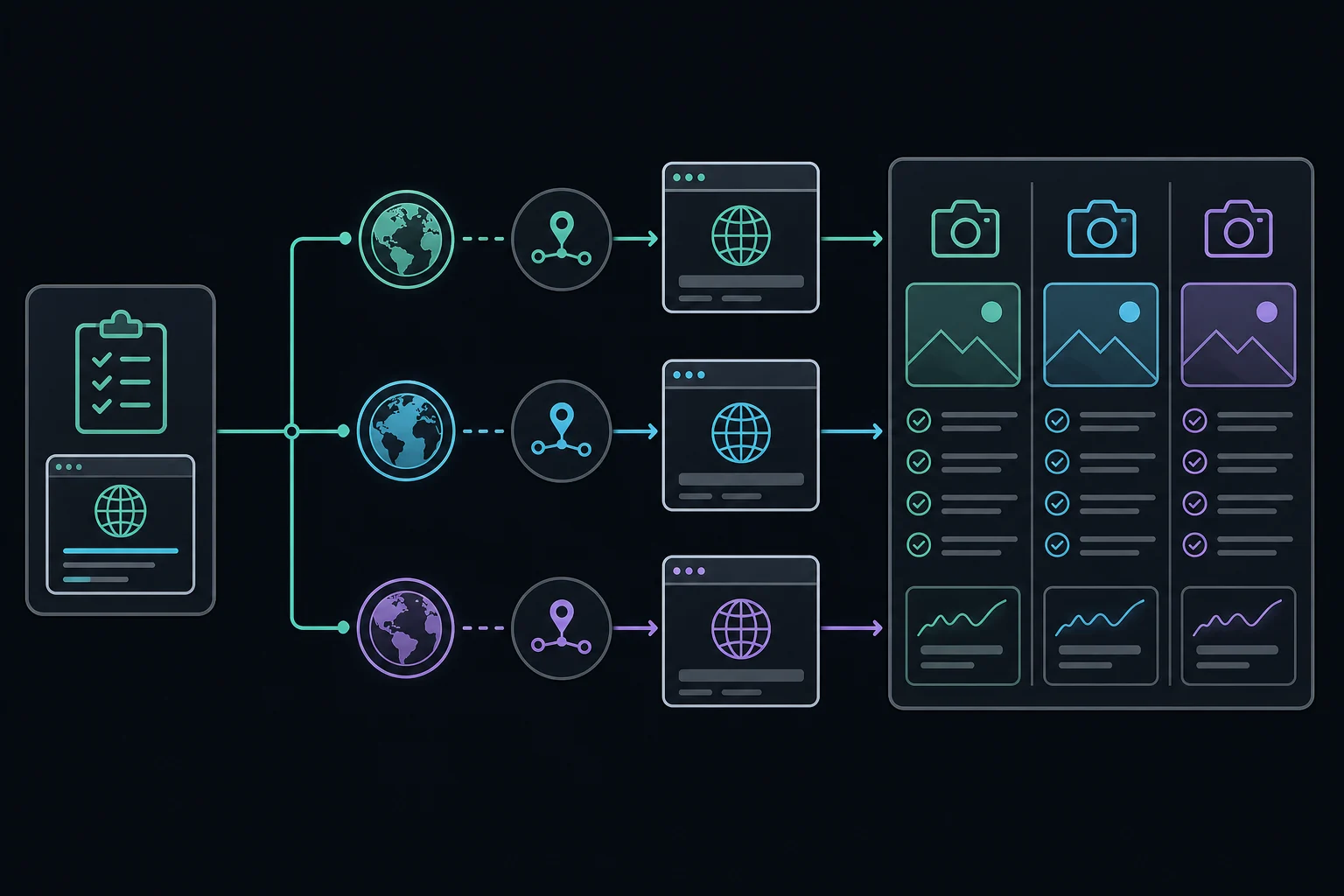
Repeat the case if the result matters. Recommendations change over time, so one screenshot is a sample, not a ranking guarantee. A video can be unavailable in a country because the owner limited its territories, often for licensing, or because local law requires a block. A proxy is a diagnostic viewpoint, not permission to watch or redistribute that content.
For the log, keep one row per run: test case ID, browser state, proxy ID and observed IP, expected and observed country, YouTube location and language, result, and timestamp with screenshot path. Never put proxy passwords, session tokens, or Google credentials in it.
Keep channel access stable and permissioned
For YouTube Studio, stability matters more than rotation. Uploads, metadata edits, moderation, and live controls are authenticated workflows. Switching countries mid-session can trigger extra verification, break an upload, or make an incident harder to investigate.
The safer team model:
- Give each operator their own Google Account.
- Grant the minimum role through YouTube channel permissions instead of sharing the owner's password.
- Use a separate managed browser profile for channel work.
- Assign that profile to your normal connection or one stable proxy.
- Keep two-step verification and security-alert ownership current.
Channel permissions do not grant YouTube API access. Check API authorization separately before building an integration.
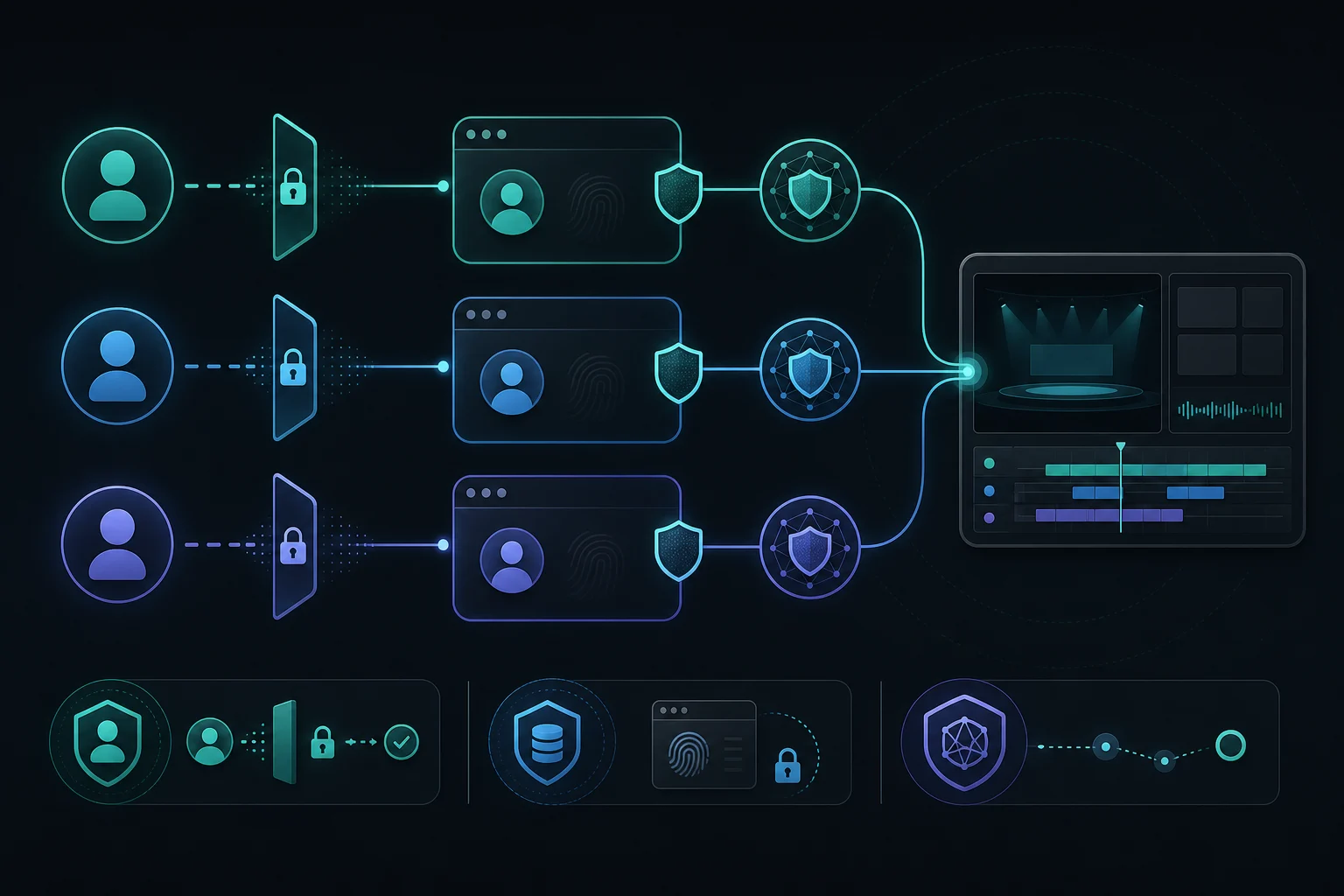
If Google sends a security alert you do not recognize, follow the account-security process. Do not keep swapping proxies until a login succeeds. When a route genuinely must change, stop channel work, finish or cancel active uploads, verify the new proxy without account credentials, and sign in again in a controlled way. Never move a live cookie jar from one country to another.
Best proxy for YouTube: ISP, residential, or datacenter
Static ISP proxies for ongoing channel work
A static ISP proxy is a dedicated IP that stays assigned across sessions. It is the clearest option when an authorized remote operator needs repeatable egress for YouTube Studio over days or weeks. Use it when the country you need is available and there is a real reason not to use the team's direct connection.
Static is an operational property, not a guarantee of trust. A dedicated IP can still trigger security checks or build a poor history, so keep the assignment stable. Unknown Proxies ISP plans fit this case.
Sticky residential proxies for one regional session
A sticky residential proxy holds one residential exit for a defined period. It fits a bounded location test where a page, video, and supporting requests must stay on the same regional route. Unknown Proxies residential proxies hold one IP for up to 2 hours per sticky session, so plan longer reviews as separate sessions.
Video eats bandwidth, and a residential plan billed by data gets expensive if every test streams at high quality. Test at the lowest useful quality, then measure actual use. The data usage calculator turns a measured session into a monthly GB estimate.
Rotating residential proxies between independent tests
Rotation works for a country comparison only when each observation starts clean. Rotate the proxy, open a new browser context, verify the new country, set the YouTube location, and run the same test. Do not attach a rotating route to YouTube Studio or a signed-in viewer account. The same cookies arriving from changing networks look incoherent and do not make a representative sample.
Datacenter proxies and SOCKS5
Datacenter proxies are fast and cheap for tolerant public checks, but hosted IP ranges may not match consumer network conditions. For an approved server-side YouTube Data API integration, a normal fixed cloud address is usually simpler than a residential pool. HTTP(S) proxies are the straightforward choice for browser traffic. SOCKS5 does not improve an IP's reputation. See SOCKS5 vs HTTP proxies for the client and DNS differences.
Do not use proxies to work around YouTube API quotas
For public reads, the YouTube Data API can use an API key. Private channel data and writes, such as metadata updates and uploads, need OAuth. As of October 2026, Google's quota documentation lists a default daily allocation of 100 search.list calls, 100 videos.insert calls, and 10,000 units for all other endpoints combined. Every request costs at least one point, including invalid ones. Google can change these defaults, so check your own project's quota page.
Quota belongs to the Google Cloud project, not to the source IP. Rotating proxies adds none. YouTube's developer policy guidance warns against splitting one use case across projects to get extra quota. Cache responses, cut unnecessary calls, and request an official quota extension when you need more.
The API also has geographic parameters that are easy to misread. In search.list, regionCode asks for videos viewable in a country, relevanceLanguage prefers a language, and location with locationRadius finds videos whose metadata has coordinates nearby. None of them simulates a viewer's personalized Home feed. Use a controlled browser test only when the question is about the browser experience.
Troubleshoot YouTube proxy problems one layer at a time
| Symptom | First check | Do not assume |
|---|---|---|
| Browser cannot connect | Proxy host, port, protocol, and credentials on a neutral HTTPS page | YouTube blocked the account |
| "Sign in to confirm you're not a bot" | Whether the IP is shared, hosted, or sending many requests | Signing in through an untrusted proxy is safe |
| Observed country is wrong | Proxy geolocation and provider assignment | The YouTube location selector will fix the route |
| Video unavailable in one country | Rights-holder territory settings | Another proxy makes access permitted |
| Results differ between runs | Login state, cookies, history, language, time | The IP alone controls recommendations |
| Google requests verification | Operator, device, profile, and route continuity | Rapid proxy replacement is the recovery path |
| Upload stalls | Latency, packet loss, bandwidth, and a direct baseline | A larger rotating pool improves uploads |
| API quota error | Project quota and method cost | A new source IP resets quota |
Change one variable at a time. If the proxy fails before YouTube loads, fix routing first. If the same account problem appears on a healthy proxy and on your normal connection, follow the account or platform support path.
FAQ
What is the best proxy for YouTube?
For channel work, a static ISP proxy is the best fit because the IP stays the same across sessions. For regional testing, a sticky residential proxy in the target country has broader location coverage. Free web proxy sites are the worst option for anything that needs a login.
Is a YouTube proxy the same as a VPN?
No. A VPN routes all traffic from the device through an encrypted tunnel. A proxy server routes only the apps you configure, such as one browser profile. A web proxy site is different again: it loads YouTube inside its own page and can read everything you do there.
Are free YouTube proxy sites safe?
They are risky. The site operator can see and change the pages you load, many sites inject ads, and shared IPs often trigger YouTube errors or bot checks. Do not sign in to a Google Account through a free proxy site.
Can a YouTube proxy unlock a country-restricted video?
A different route may show that availability varies by country, but it does not grant viewing or distribution rights. The restriction usually comes from the content owner or local law. Use proxies only for authorized testing.
Should I use residential or ISP proxies for YouTube?
Use a static ISP proxy for recurring YouTube Studio work that needs one stable IP. Use a sticky residential proxy for a time-bounded country test. Rotate residential exits only between independent, fresh, logged-out tests.
Does changing a proxy change my YouTube recommendations?
It may change one location input, but not the whole result. YouTube also uses its location setting, device location, account information, watch and search history, and feedback. Treat a result as a controlled sample, not proof of what every user in that country sees.
Can I rotate proxies to get more YouTube API quota?
No. YouTube Data API quota belongs to the API project and request methods, not the source IP. Optimize requests and use the official quota-extension process instead of rotating routes or splitting one use case across projects.
Final thoughts
Treat a YouTube proxy as controlled network infrastructure. Use a stable ISP route for authorized channel work, a sticky residential route for one regional session, and fresh residential exits between independent location tests. Record the YouTube location, device location, language, and browser state with every result.
Use channel permissions instead of shared passwords, keep signed-in sessions on one route, and use the YouTube Data API for software workflows. If the job needs neither a fixed IP nor a country, a direct connection is the right answer.