An open proxy is a proxy server that anyone on the internet can use without a login, an approved IP address, or any other access check. It forwards your requests to websites, so those sites see the proxy's IP address instead of yours. Some open proxy servers are published on purpose as free services. Many others are servers that someone misconfigured or that an attacker took over.
The short version:
- Do not send passwords, payments, or account logins through an open proxy. You do not know who runs it, what it logs, or whether it changes your traffic.
- Websites block open proxy IPs often, because many strangers share them and some of those strangers abuse them.
- If you run a proxy, test it from outside your network. If it forwards requests without credentials, close it with an access rule, authentication, or a firewall. The test commands and Squid settings are further down this page.
What Is an Open Proxy?
An open proxy is a forward proxy with missing or broken access controls. Anyone who can reach its host and port can route traffic through it. No account, password, or allowlisted source IP is needed.
The HTTP specification's definition of a proxy describes a message-forwarding intermediary that the client chooses. "Open" is not a separate protocol. It describes who can use that intermediary.
Compare it with the other proxy types you will see:
- A private proxy limits access to paying users, employees, approved devices, or allowlisted IPs.
- An open proxy accepts unrelated public users with little or no access control.
- A transparent or interception proxy redirects traffic without the client choosing it. Schools and offices use these on managed networks. It is not the same thing as an open proxy.
- A reverse proxy receives traffic for the servers behind it. It does not give users a general route out to the internet.
An HTTP, HTTPS, or SOCKS endpoint can be open. Protocol and access policy are separate properties.
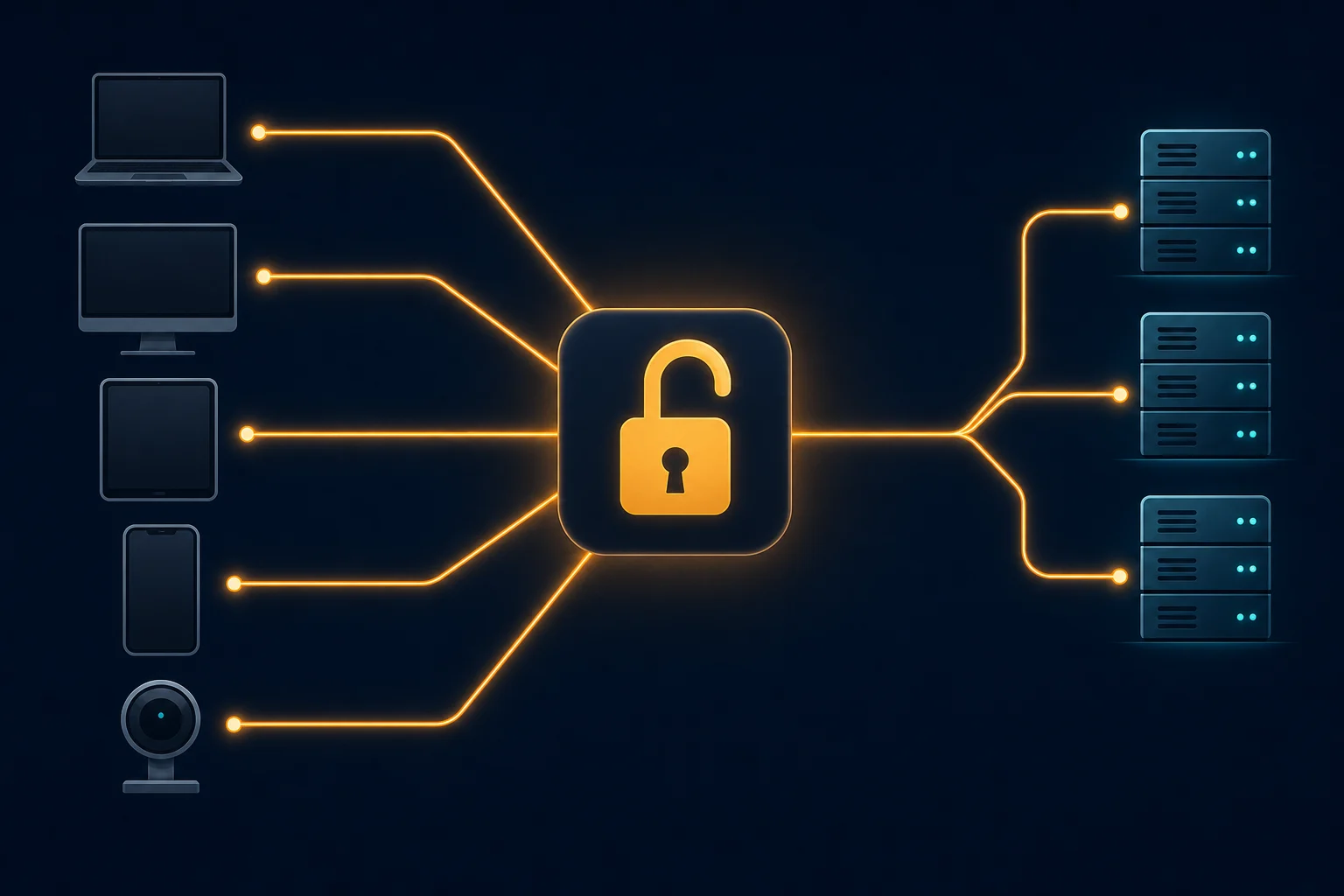
How an Open Proxy Works
The request path is simple:
- A user finds the proxy's IP address or hostname and port, often on a public proxy list.
- The browser, script, or app connects to that endpoint.
- The proxy accepts the connection without checking who the user is.
- The proxy sends the request to the destination.
- The destination responds to the proxy's exit IP.
- The proxy relays the response back to the user.
The destination records the proxy's IP as the network source. It can still identify the user from login state, cookies, browser fingerprints, request headers, or behavior. An open proxy changes one part of the route. It does not make anyone anonymous by itself.
Open proxies exist for several reasons. Some are free services, such as free YouTube proxy sites. Others are abandoned servers, badly configured office gateways, hacked routers and IoT devices, or proxy software that someone bound to a public interface by mistake. Sites that publish open proxy lists find these endpoints by scanning the internet for ports that forward traffic. A working entry on a list is not proof that its owner meant to share it.
Why Open Proxies Are Risky
The operator sits in your request path
The proxy handles every connection between your client and the destination. It sees which hosts you visit, when, and how much data you send. On plain HTTP it can read and change the content too.
HTTPS protects the content, but only if you respect certificate warnings. A normal HTTPS tunnel keeps TLS intact between your client and the destination. An interception proxy can read HTTPS only when your device trusts a certificate authority that the proxy controls. OWASP's interception-proxy guide explains how installing such a certificate changes the trust model. Never install an unknown root certificate or turn off verification to make a free proxy work.
The exit IP usually has a bad reputation
An open endpoint can carry traffic from thousands of unrelated users. Some of them send spam, try stolen passwords, scan sites, or flood targets with requests. Destination services respond by challenging or blocking the IP.
So even when the proxy connects, you will often get CAPTCHAs, access-denied pages, rate limits, or account security prompts. The route works, but the site will not accept it.
Reliability and ownership are unclear
Free public endpoints disappear without notice, change ports, slow down under shared load, or stop supporting HTTPS tunnels. There is no support channel and no reliable way to confirm who controls the server.
That makes them a poor base for monitoring, scraping, QA, or anything that needs repeatable results. When a route changes behavior between requests, you cannot tell connection failures, target blocks, and proxy-side changes apart.
Your activity is mixed with someone else's
A shared exit does not separate your traffic or reputation from other users. If a site sees hundreds of unrelated sessions from one IP, your normal request inherits the result of that combined behavior.
Labels such as "anonymous" or "elite" on proxy lists do not solve this. Those terms describe whether the proxy adds headers that reveal your IP. They say nothing about whether the operator is trustworthy, the route is encrypted, or the IP has a clean history.
How Websites Detect Open Proxies
Sites and security services combine several signals, because none of them is reliable alone.
- IP reputation and blocklists. IP intelligence services label proxy, VPN, and hosting IPs. DNS-based blocklists used by mail servers and IRC networks list known open proxies. An open proxy that appears on public lists usually lands on these blocklists soon after.
- Connect-back scans. Some services, IRC networks in particular, connect back to the visitor's IP on common proxy ports such as 1080, 3128, and 8080. If that port forwards traffic, the visitor's IP is an open proxy.
- Proxy headers. Some HTTP proxies add
Via,X-Forwarded-For, orForwardedheaders. These show that a proxy is in the path and can expose the original client IP. - Network type. Many open proxies run on cloud and hosting networks. A hosting IP on a consumer login page is a risk signal on its own.
- Behavior. Many unrelated accounts or logins from one IP in a short time look like shared or abused infrastructure.
Some sites go further and ban open proxies by policy. Wikipedia, for example, blocks editing through them under its no open proxies policy.
These checks also catch VPNs and private proxies, and sometimes a normal home connection. If you see a proxy warning and you are not using a proxy, our guide to the anonymous proxy detected message walks through the causes and fixes.
"Do Not Use High-Risk Network Connections (Web Proxies)"
Some apps and websites show a message like this at signup, login, or payment. It means the service thinks your connection comes from a proxy, a VPN, or an IP with a bad reputation. It will not continue until you change the connection.
To clear it:
- Turn off any VPN, proxy app, or browser proxy extension.
- Check the system proxy setting. On Windows 11, open Settings > Network & internet > Proxy and turn off Use a proxy server if it has a value you do not recognize. On a Mac, follow the removal steps in our Mac proxy settings guide. On an iPhone, open the Wi-Fi network details and set Configure Proxy to Off, as shown in the iPhone HTTP proxy guide.
- Try another network, for example mobile data instead of public Wi-Fi. Some school, hotel, and office networks send traffic through a proxy.
- If the message also appears on your home connection with nothing enabled, your IP may carry a bad reputation from a previous user. Restarting the router can give you a new IP if your ISP assigns dynamic addresses.
- Scan your devices for malware. Infected devices and some free apps turn a home connection into a proxy exit for other people, and that puts your IP on proxy lists.
If none of this works, contact the service's support and give them your public IP and the time of the error.
Open Proxy vs Private Proxy
| Check | Open proxy | Properly managed private proxy |
|---|---|---|
| Access | Public or weakly restricted | Account credentials or source-IP allowlist |
| Operator | Often unclear | Identifiable provider or organization |
| Users on the route | Unknown and uncontrolled | Limited to authorized customers or staff |
| Session controls | Usually absent | Static, sticky, or rotating modes may be documented |
| Support and uptime | No dependable commitment | Product documentation and support should exist |
| Abuse response | Unclear | Provider can suspend users and protect the pool |
| Suitable for sensitive activity | No | Only with a trusted operator and correct TLS handling |
Authentication does not make every paid proxy safe, and a familiar brand does not replace your own checks. It does create a boundary the operator can enforce: it can identify who connects, limit misuse, and revoke a leaked credential.

How to Tell Whether a Proxy You Were Given Is Open
Treat a proxy as untrusted until you know who operates it and why you are allowed to use it. Warning signs:
- It came from a public list with only an IP, port, country, and claimed anonymity level.
- It accepts traffic without credentials or an approved source IP.
- There is no provider account, administrator, documentation, acceptable-use policy, or support contact.
- It asks you to install a root certificate, ignore a certificate warning, or disable TLS verification.
- The exit IP, country, or protocol support changes without explanation.
- Tests show injected content, changed headers, redirects, or unexpected login pages.
No authentication is not proof by itself. A business proxy may use source-IP allowlisting, so an approved office or server connects without a username. What matters is whether the endpoint has a deliberate access boundary.
If an employer or vendor supplied the proxy, confirm its hostname, port, protocol, authentication method, expected exit region, and certificate policy through a trusted channel. The proxy address guide explains how those connection fields fit together.
How to Check If Your Server Is an Open Proxy
Only test servers you own or have written permission to test. Scanning other people's servers for open proxies can break their terms of service or the law.
1. See what is listening
On Linux, list the listening TCP ports and the process behind each one:
sudo ss -tlnp
Look for proxy software such as Squid, Dante, Tinyproxy, or 3proxy, or a container, on ports like 1080, 3128, 8080, or 8888. A local address of 0.0.0.0 or [::] means the service listens on every interface, public ones included. 127.0.0.1 means local connections only.
2. Test from outside your network
Run these from a different network, such as a phone hotspot or another server. A test from the proxy host itself proves nothing, because local connections are often allowed.
# HTTP proxy, plain HTTP target
curl -x http://YOUR_SERVER_IP:3128 -I http://example.com/

# HTTP proxy, HTTPS target (tests CONNECT tunnels)
curl -x http://YOUR_SERVER_IP:3128 -I https://example.com/

# SOCKS5 proxy
curl --socks5-hostname YOUR_SERVER_IP:1080 -I http://example.com/
Read the result:
| Result | Meaning |
|---|---|
200 OK or a redirect from example.com, with no credentials sent |
The proxy is open. Close it now. |
407 Proxy Authentication Required |
The proxy asks for credentials. This is the expected result for an authenticated proxy. |
403 Forbidden with an X-Squid-Error: ERR_ACCESS_DENIED header |
Squid's access rules rejected you. Also expected. |
| Connection refused or timeout | The port is closed or filtered from that network. |
| curl reports a SOCKS error such as no acceptable authentication method | The SOCKS server requires a login or rejected your source IP. |
3. Scan with nmap
Nmap ships two scripts for this job:
nmap -Pn -p 3128,8080,8888 --script http-open-proxy YOUR_SERVER_IP
nmap -Pn -p 1080 --script socks-open-proxy YOUR_SERVER_IP
The http-open-proxy script tries GET, HEAD, and CONNECT requests through the target. It reports an open proxy when it gets a 200, 301, or 302 response back. The socks-open-proxy script sends SOCKS4 and SOCKS5 requests and reports an open proxy when the server grants them. Both use www.google.com as the default test host. Set --script-args proxy.url=<host> to test with another one. Run the scan from outside your network for the same reason as the curl test.
How to Close an Open Proxy
An unexpected open proxy is a security and abuse problem. Do not leave it online as free capacity.
- Restrict network access. Limit the listening port to known source IPs at the firewall or cloud security group. If you do not need the service, stop it.
- Require authentication. Set up unique credentials or a deliberate source-IP allowlist. An unusual port number is not access control. Scanners check every port.
- Check the bind address. A proxy meant only for local apps should listen on
127.0.0.1, not on every interface. - Review logs and costs. Look for unknown destinations, traffic spikes, bandwidth charges, abuse notices from your host, and connections from unknown clients.
- Rotate exposed secrets. Change any proxy credentials that were shared publicly or stored somewhere unsafe.
- Find the cause. Confirm whether a config change, a container port mapping, a vulnerable service, or a compromised host created the exposure.
- Retest from outside. Run the curl and nmap checks again. Unknown clients should fail and approved clients should still work.
If the server may be compromised, keep the evidence your incident process needs before you rebuild it. Blocking the port stops the abuse, but it does not explain how the proxy became public.
Squid: allow only your own networks
Squid's default configuration denies requests from outside the networks it lists. An open Squid server usually means someone added a broad rule such as http_access allow all or a localnet range that is too wide. Keep the Safe_ports and SSL_ports ACL definitions from the default file, and put your rules in this order in /etc/squid/squid.conf:
# Your LAN or office range
acl localnet src 192.168.1.0/24
# One trusted server
acl localnet src 203.0.113.10

http_access deny !Safe_ports
http_access deny CONNECT !SSL_ports
http_access allow localhost
http_access allow localnet
http_access deny all
Squid uses the first http_access rule that matches, so http_access deny all must stay last. Recent default files define localnet with every private address range. Remove the ranges you do not use. Squid does not accept comments at the end of an acl line, so keep comments on their own lines.
If only apps on the same machine use the proxy, bind it to localhost with http_port 127.0.0.1:3128.
Squid: require a username and password
The Squid NCSA authentication example uses a password file and the basic_ncsa_auth helper:
auth_param basic program /usr/lib/squid/basic_ncsa_auth /etc/squid/passwords
auth_param basic realm proxy
acl authenticated proxy_auth REQUIRED

http_access deny !Safe_ports
http_access deny CONNECT !SSL_ports
http_access allow authenticated
http_access deny all
Create the password file with sudo htpasswd -c /etc/squid/passwords alice. The htpasswd tool is in the apache2-utils package on Debian and Ubuntu, and in httpd-tools on RHEL-based systems. The helper path also changes by distribution. RHEL-based systems use /usr/lib64/squid/basic_ncsa_auth.
Basic authentication sends the username and password encoded but not encrypted between the client and the proxy. Where you can, combine it with a source-IP rule or a firewall.
Check the file and apply it:
sudo squid -k parse
sudo squid -k reconfigure
Firewalls, Docker, and other proxy software
With UFW and a default-deny incoming policy, allow the proxy port only from trusted sources:
sudo ufw allow from 203.0.113.10 to any port 3128 proto tcp
Docker needs extra care. A container started with -p 3128:3128 publishes the port on every interface, and Docker's own iptables rules skip UFW. Publish the port on localhost only (-p 127.0.0.1:3128:3128), or filter it in the DOCKER-USER chain.
Other proxy servers have the same controls under different names. Tinyproxy uses Allow lines and BasicAuth. Dante uses client pass and socks pass rules with socksmethod: username. Whichever you run, retest from outside after every change.
Safer Alternatives to an Open Proxy
Pick the smallest trusted tool that fits the job:
- Authenticated private proxy. Good when one script, browser, or app needs a controlled route out.
- Source-IP-allowlisted proxy. Good for servers with stable public IPs, as long as you keep the allowlist current.
- Managed residential proxy. Good for permitted regional testing or public-data collection that needs consumer-network routes. Use documented sticky or rotating sessions instead of random public endpoints. See our residential proxy options.
- Static ISP proxy. Good when a browser profile, account, or monitoring task needs one stable dedicated exit. Compare plans on the ISP proxy pricing page.
- Reputable VPN. A better fit when one person needs a device-level tunnel, especially on public Wi-Fi. The proxy server vs VPN comparison covers the difference.
- Organization-managed gateway. Right for companies that need logging, policy enforcement, filtering, and central access control.
For automation, match the route to the session. Keep one stable proxy per account or browser profile when continuity matters. Rotate only independent requests, pace traffic, and follow site terms and the law. A new IP is not permission to get around access controls.
Proxy Safety Checklist
Before you send real traffic through any proxy, confirm that:
- You know the operator and you are authorized to use the endpoint.
- Access needs valid credentials or an intentional IP allowlist.
- HTTPS certificates validate normally for the sites you visit.
- The exit IP and location match the provider's documentation.
- You know what the provider logs and for how long.
- Your credentials are unique, stored safely, and easy to revoke.
Test with a neutral IP-check page first. Do not log in to an important account just to see whether an unknown proxy works.
FAQ
What is an open proxy server?
It is a proxy server that forwards traffic for anyone who connects, with no login or IP allowlist. "Open proxy" and "open proxy server" mean the same thing.
Is an open proxy the same as a free proxy?
Not always. An open proxy has no working access control. A free proxy can still require an account and enforce limits, and a paid server can become open through a configuration mistake. Most entries on free public proxy lists are open proxies, though.
Is using an open proxy illegal?
Laws vary by country and by what you do. A server that is reachable is not always offered with the owner's permission, and many open proxies are hacked machines. Routing through one also does not authorize access to any website. Use only infrastructure you are allowed to use, and get legal advice for a specific high-risk case.
Does an open proxy hide your IP address?
The website sees the proxy's exit IP, but that is not anonymity. Accounts, cookies, browser fingerprints, headers, DNS behavior, and traffic patterns can still identify you. The proxy operator also sees your real IP.
Can an open proxy read HTTPS traffic?
Not through a normal HTTPS tunnel, as long as your client validates certificates. An interception setup can decrypt traffic if you install and trust its certificate authority. Do not install an unknown certificate or skip validation.
Is an open proxy the same as an open relay?
No, but they are related. An open relay is a mail server that forwards email for anyone, which spammers abuse. An open proxy forwards general web or socket traffic. Spammers have used both, and the same blocklists often track them.
How do I check if my IP is an open proxy?
From a different network, run curl -x http://YOUR_IP:PORT -I http://example.com/ against the ports your server listens on, or use the nmap http-open-proxy and socks-open-proxy scripts. If the request succeeds without credentials, the server is an open proxy.
Are open proxies useful for web scraping?
Not for production work. Unknown owners, unstable uptime, bad reputation, and inconsistent responses damage data quality. Use authorized proxy infrastructure, respect rate limits and site rules, and build retries around known failure states.
Bottom Line
An open proxy lets anyone route traffic through a server with no access check. That makes it cheap to use and hard to trust. The operator can watch your traffic, the IP is often blocked, and the endpoint can vanish at any time.
If you need a proxy, use an authenticated or allowlisted one from an operator you can identify, and keep HTTPS validation on. If you run one, test it from outside your network today. A single curl -x request tells you whether strangers can use it.