ISP vs datacenter proxies comes down to who the IP address is registered to. Both run on servers in data centers, so both are fast and static. Datacenter IPs belong to hosting and cloud networks, which a website can flag with one lookup. ISP proxy IPs are registered to internet service providers, so they pass that check and cost more per IP.
The decision rule is simple. If a small, paced datacenter test works on your target, use datacenter proxies and keep the savings. If the site blocks or challenges datacenter IPs even at a low rate, move that workflow to ISP proxies before you scale. Retail, ticketing, and account platforms usually land in the second group.
This page is the side-by-side comparison. For the definition of an ISP proxy and where providers get the IPs, read what are ISP proxies.
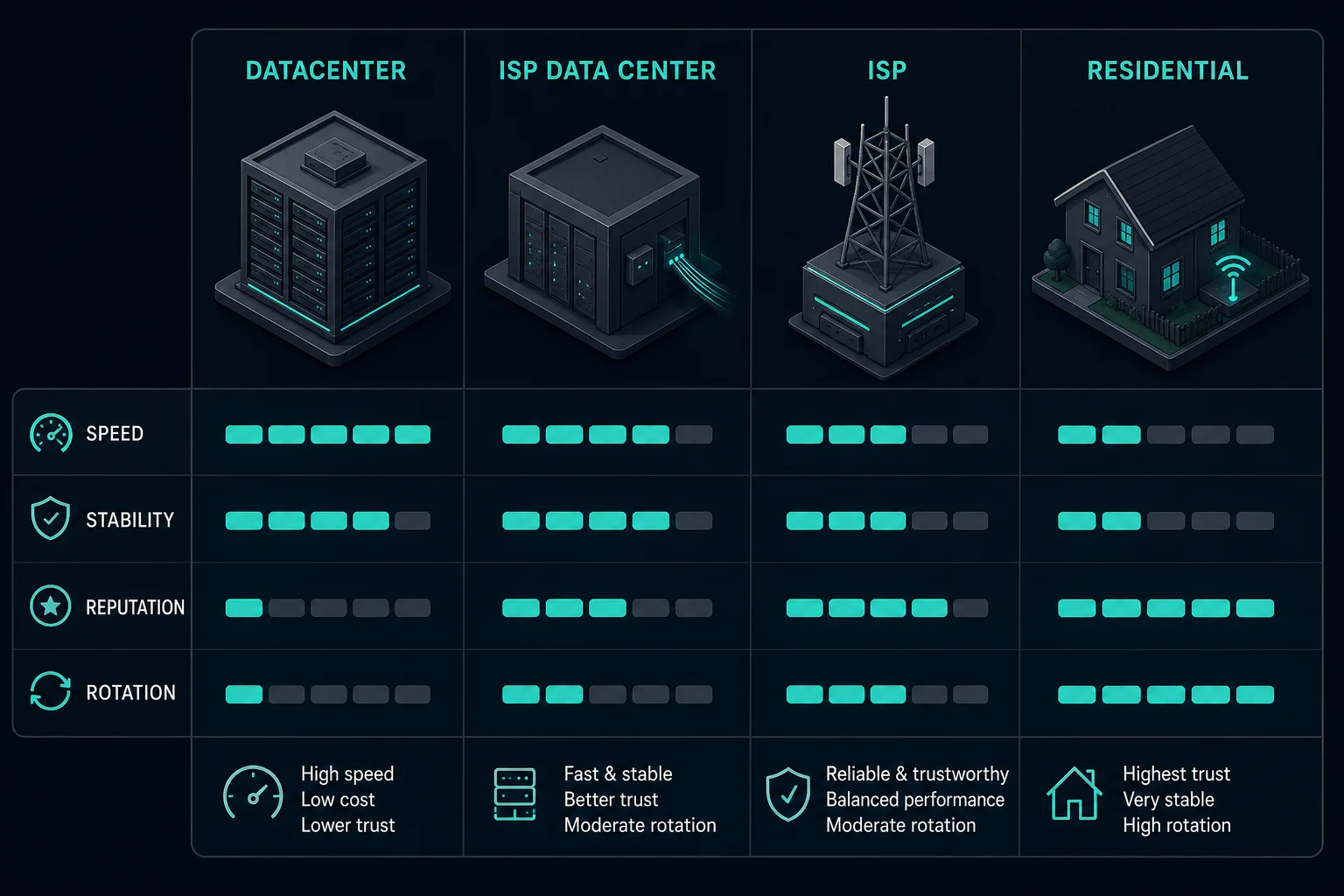
ISP vs datacenter proxies: quick comparison
| Factor | Datacenter proxies | ISP proxies |
|---|---|---|
| Where they run | Servers in a data center | Servers in a data center |
| Who the IP belongs to | Hosting or cloud provider ASN | Internet service provider ASN |
| What a lookup shows | Hosting, cloud, or server network | ISP network |
| Speed | Fast | Fast |
| IP behavior | Usually static, some providers rotate | Static |
| Cost | Lower | Higher |
| Pool size | Large and easy to scale | Smaller, limited by ISP-registered ranges |
| Block risk | High on sites that distrust hosting networks | Lower, but a flagged range stays flagged |
| Best fit | Permissive sites, high volume, internal tests | Retail, ticketing, accounts, stricter scraping |
The only row that changes how a website treats you is the IP owner. Everything else follows from it: price, pool size, and which sites let you through.
Datacenter IPs vs ISP IPs: what a website sees
A website cannot see your server rack. It sees the IP address and looks it up. These are the main signals:
- ASN. An autonomous system number identifies the network that announces the IP range. Hosting providers and ISPs have different ASNs. The ARIN ASN guide explains what an ASN represents.
- IP type databases. Commercial IP databases label ranges by network type, and anti-bot systems read those labels.
- Reverse DNS. Cloud IPs often resolve to hostnames that name the provider, such as
ec2-...compute-1.amazonaws.comfor AWS. - Range history. Abuse from other users on the same subnet or ASN can follow the whole range.
The type labels are model output, not registry facts. IPinfo, for example, sorts ASNs into ISP, hosting, business, and education, and says it infers the type with a statistical model that compares a range's behavior against a baseline (IPinfo, 2023). One company can own ASNs with different types. That is why two checkers can disagree about the same IP.
Check an IP yourself
You can run the same lookups with free tools:
# Which network owns the IP (ASN and organization name)
curl -s https://ipinfo.io/203.0.113.10/org

# ASN, prefix, and registry from Team Cymru's IP-to-ASN service
whois -h whois.cymru.com " -v 203.0.113.10"

# Reverse DNS name, if one is set
dig -x 203.0.113.10 +short
Replace 203.0.113.10 with your proxy's exit IP. To find the exit IP, run curl -s -x "http://USER:PASS@HOST:PORT" https://api.ipify.org through the proxy. If the organization is a cloud or hosting company, sites will most likely treat it as datacenter traffic. If it is an ISP, the IP passes that first check.
Expect some noise. Because ISP proxies sit in data centers, a few checkers label them as hosting anyway, and ranges from small regional ISPs get that label more often. Check two sources. If both say hosting, the IP will be treated as datacenter traffic no matter what the seller calls it.
What "ISP data center proxies" means
Some sellers and buyers say "ISP data center proxies." In most cases this is the same product as ISP proxies, and the same thing other sellers call static residential proxies. The phrase names both halves of the setup at once: an ISP-registered IP on data center hardware.
So the comparison in this guide is really between two kinds of server proxy. One has a hosting company's IP and one has an ISP's IP. The ISP proxy definition guide explains how providers get and route those ranges.
Unknown Proxies ISP proxies work this way. Our US ISP proxies are hosted in Ashburn (Virginia), New York City, and San Francisco. International ISP proxies are hosted in London, Frankfurt, Amsterdam, Paris, Rome, Sydney, and Hong Kong.
If a provider sells both "ISP proxies" and "ISP data center proxies," ask what differs. It could be the ASN type, dedicated vs shared use, regions, or replacement policy. If nothing differs, it is only a label.
Speed and stability
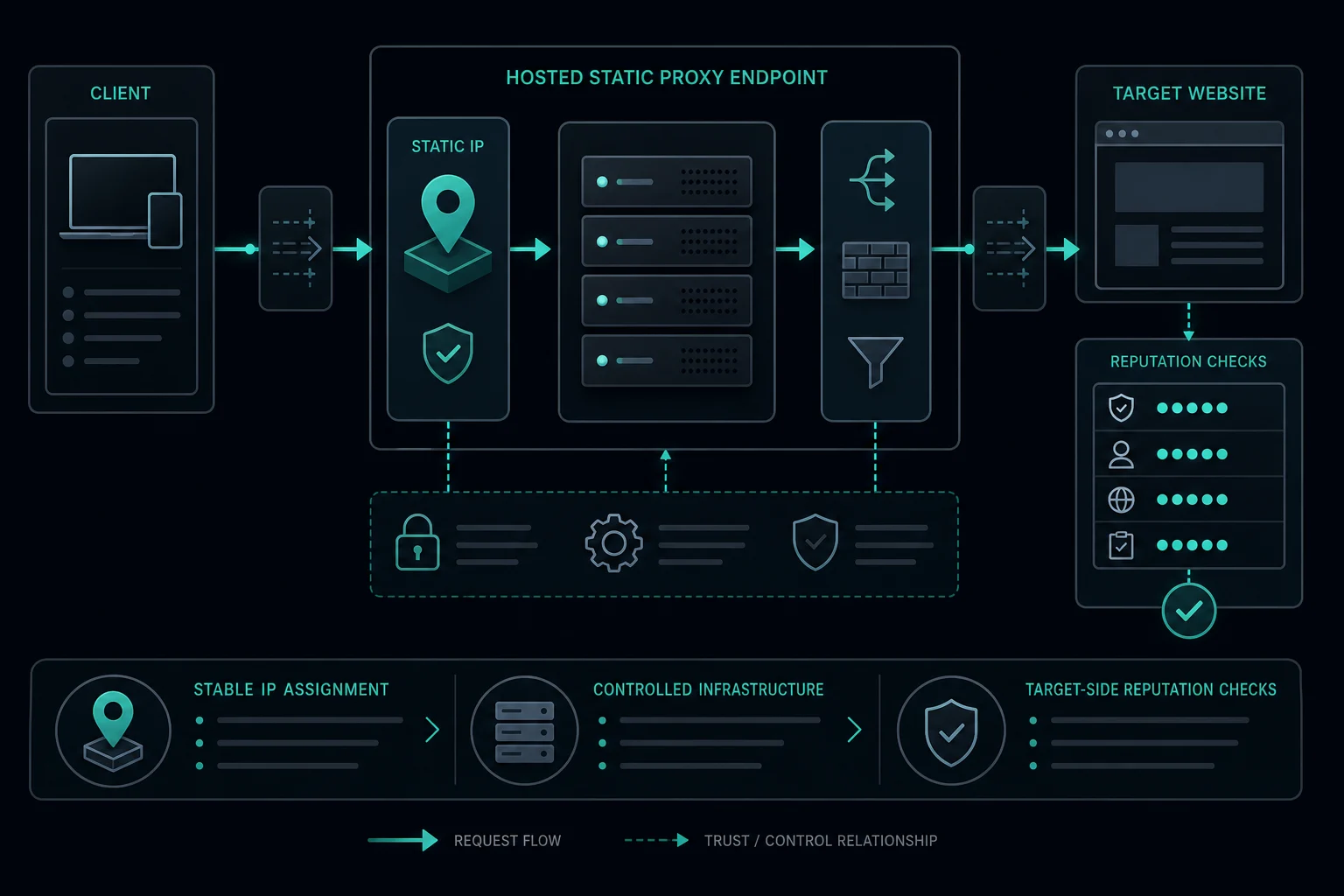
Both types run on server hardware with data center connectivity. Neither routes your traffic through someone's home device, so both have low and predictable latency compared with residential proxies.
Speed differences between a good ISP proxy and a good datacenter proxy are usually small. They depend on the provider and region more than on the category. Pick the region closest to the target's servers, then measure, because a marketing claim tells you nothing about your target:
curl -s -o /dev/null -x "http://USER:PASS@HOST:PORT" \
  -w "connect=%{time_connect}s ttfb=%{time_starttransfer}s total=%{time_total}s\n" \
  https://example.com/
Run it ten or twenty times per proxy and compare the spread, not one result. Both types are static by default. Unknown Proxies ISP proxies do not rotate unless you request a manual rotation, and plans include one free manual rotation every 30 days.
Why ISP proxies cost more than datacenter proxies
ISP proxies are more expensive for supply reasons:
- IPv4 addresses are scarce. ARIN, the North American registry, depleted its free IPv4 pool on 24 September 2015, and new space now mostly moves through transfers (ARIN IPv4 guide).
- Ranges registered to ISPs are a small share of that space, and providers need agreements with ISPs to get and announce them.
- Cloud and hosting providers sell large IP ranges at low cost, so datacenter supply is easy to scale.
You pay for the IP registration, not for faster hardware. If the target does not care about the registration, the extra cost buys you nothing.
Shared vs dedicated IPs
Datacenter proxies are often sold as shared pools, where several customers send traffic through the same IPs. That is the cheapest option and the riskiest one. If another customer hammers a site from your IP, you inherit the block. Dedicated datacenter IPs remove that neighbor problem, but they still come from a hosting ASN, so they fail the network-type check on strict sites.
ISP proxies can also be dedicated or shared, so ask which one a plan is. For logins, carts, and ticket queues, dedicated matters as much as the ASN. You want the IP's history to come from your traffic only. Unknown Proxies ISP proxies are dedicated to one customer.
When to use datacenter proxies
Datacenter proxies fit when:
- The site allows automated access or has light bot protection.
- You need high throughput at the lowest cost per IP.
- You are testing your own site, app, CDN, or API.
- The data is public and the site does not block hosting networks.
- A small, paced test succeeds without challenges.
They fail when the site blocks by network type. If every datacenter IP gets challenged at a low request rate, switching to another datacenter provider rarely helps. Some sites block whole hosting ASNs, which shows up as pages like Cloudflare Error 1005 (ASN banned).
When to use ISP proxies
ISP proxies fit when the site distrusts hosting networks but you still need fixed, fast IPs:
- Retail monitoring and checkout. Our sneaker proxies guide covers how bots split ISP and residential proxies by job.
- Ticketing queues and account logins.
- Long account sessions where the IP should not change.
- Scraping targets that block datacenter IPs but where rotating residential proxies break sessions.
- Monitoring from a fixed region at a steady rate.
| Workflow | Better choice | Why |
|---|---|---|
| Public pages on a permissive site | Datacenter | Cheapest fast option that works |
| Internal QA, uptime, or API tests | Datacenter | The target is your own |
| Retail monitoring and checkout | ISP | Hosting IPs are often challenged on retail sites |
| Account logins and long sessions | ISP | Fixed IP with an ISP registration |
| Ticketing queues | ISP | Stable identity through the queue |
| Scraping a site that blocks hosting ASNs | ISP or residential | Datacenter fails at the network check |
| Many locations or per-request rotation | Residential | Neither ISP nor datacenter covers this well |
Using datacenter and ISP proxies together
Most retail and ticketing setups do not pick one type for everything. They split the workflow by step, because each step has a different risk.
A common split:
- Datacenter proxies for permitted, low-risk work: your own uptime checks, public endpoints that accept server traffic, and asset or image fetches.
- ISP proxies for anything tied to an account: login, cart, checkout, queue entry, and monitoring on pages that challenge hosting IPs.
Find the split by testing each step, not the whole site. Run every step at your real request rate on datacenter IPs first. Move only the steps that fail to ISP proxies. That keeps the expensive IPs on the requests that need them and stops you from paying ISP prices for traffic a datacenter IP handles fine.
When neither is the right choice
ISP and datacenter proxies are both fixed IPs in a limited set of regions. Use residential proxies instead when:
- You need many countries, states, or cities.
- Each request can use a different IP.
- The site expects consumer home connections, not ISP-registered server IPs.
Two other guides cover that side. Datacenter proxies vs residential proxies compares the cheapest and the most spread-out options, including shared datacenter plans and how residential pools are sourced. ISP proxies vs residential proxies compares one static IP against a rotating pool, with per-IP vs per-GB pricing.
Also check that the problem is the IP. If you see 429 or 403 responses, keep the same client, headers, cookies, rate, and account state, and change only the proxy type. If nothing improves, the problem is your request pattern or the site's rules, not the network type.

How to evaluate an ISP or datacenter provider
Ask every provider the same questions:
- Which ASN announces the IPs, and how do IP databases classify it?
- Are the IPs dedicated to you or shared?
- How many subnets does your list span? One subnet means one range ban can stop everything.
- Which regions and cities are available?
- Which protocols (HTTP(S), SOCKS) and authentication methods (username and password, IP allowlist) are supported?
- What is the replacement or rotation policy?
- Are there bandwidth or thread limits?
Then verify the first answer yourself with the lookup commands above. Unknown Proxies ISP proxies support HTTP(S) and SOCKS, plus username and password or IP-based authentication. Compare ISP proxy plans when you need fixed IPs with ISP registration.
FAQ
What is an ISP proxy?
An ISP proxy is a static proxy IP registered to an internet service provider but hosted on a server. It is also sold as a static residential proxy. You keep the same IP for the plan term. What are ISP proxies covers how they work and when to use them.
What is the difference between ISP and datacenter proxies?
Both run on servers in data centers. Datacenter proxies use IPs owned by hosting or cloud providers. ISP proxies use IPs registered to internet service providers, so sites classify them as ISP traffic instead of server traffic.
Are ISP proxies better than datacenter proxies?
They are better on sites that block or challenge hosting networks, such as retail, ticketing, and account platforms. On permissive sites, datacenter proxies do the same job for less money.
Are ISP proxies datacenter proxies?
They are hosted in data centers, but they are not datacenter proxies in the usual sense. The IP registration is what differs, and that is what websites check.
What are datacenter IPs?
Datacenter IPs are addresses owned by hosting, cloud, and server companies. A lookup of the IP's ASN or organization shows the provider's name, which tells websites the traffic comes from a server.
Are ISP proxies faster than datacenter proxies?
Not in any way you can rely on. Both run on data center hardware, so the gap between two good providers is usually smaller than the gap between two regions. Measure with your own target before you decide on speed.
Are ISP data center proxies residential?
No. They use ISP-registered IPs but run on servers, not on home connections. Residential proxies route through consumer connections and usually rotate.
Can websites tell ISP proxies from home users?
Sometimes. An ISP proxy passes the network-type check, but sites also look at behavior, request rate, cookies, browser fingerprint, and range history. A static IP that sends too many requests still gets flagged.
Final thoughts
Run your exit IPs through two lookups before you buy more of either type. Then test each step of the workflow on datacenter IPs at your real rate, and move only the failing steps to ISP proxies. Keep the ISP IPs dedicated and one per account or task. That gives you the lowest bill that still gets through.
Technical references: MDN Proxy servers and tunneling, ARIN Autonomous System Numbers, ARIN IPv4 address space, and Team Cymru IP to ASN mapping.