Twitter proxies route a browser or approved application through another IP address before it connects to X, the platform formerly called Twitter. For an authorized account workflow, the useful default is a stable route: assign one static ISP proxy to one account and browser profile, or use a sticky residential session when a specific region is required for a time-bounded test.
Do not rotate IPs during a logged-in session. Keep the account, browser profile, cookies, region, and proxy together. If the workflow publishes, replies, sends messages, or collects X data automatically, use the official X API and follow its rules. A proxy does not turn browser automation into an approved integration.
This guide explains where Twitter proxies fit, how IP reputation affects a session, which proxy type to choose, and how to test a route without confusing account, browser, API, and network problems.
Best Twitter proxy: quick decision
Choose the route from the workflow rather than from a promise to make an account "undetectable." X can evaluate more than the public IP, and no proxy can guarantee that a login or action will be accepted.
| Authorized workflow | Usually choose | Why |
|---|---|---|
| Managing one owned account from a repeatable environment | Static ISP proxy | Dedicated, persistent IP is easy to map and audit |
| Managing several owned client accounts | One static ISP proxy per account or isolated client profile | Separates browser state and network identity |
| Short regional content or ad-quality review | Sticky residential proxy | Regional egress with continuity for the test session |
| Independent public-page checks across regions | Rotating residential proxy | Each check can begin as a fresh, logged-out session |
| Automated posting, replies, messages, or data access | Official X API, normally from stable server egress | Authorization and rate limits belong at the API layer |
| Personal use from one normal location | Direct connection | A proxy may add complexity without solving a real problem |
If one step depends on cookies or state created by an earlier step, keep the same IP. The broader sticky vs rotating proxies guide explains why per-request rotation and account sessions are usually a bad combination.
What a Twitter proxy changes and what it does not
A proxy changes the network path and the public source IP visible to the destination. It can provide a fixed business egress address, place an authorized QA session in a required country, or keep unrelated client environments on separate routes. The MDN guide to proxy servers covers this forwarding role.
A proxy does not replace the rest of the session identity. The following signals still matter:
- Account history, permissions, and current enforcement state.
- Cookies, local storage, and active login sessions.
- Browser and device characteristics.
- Language, time zone, and region consistency.
- Request timing, action sequence, and repeated failures.
- API token, application, endpoint, and rate-limit state.
- Whether the activity complies with X's rules.
A changed route is only one part of account security. Keep two-factor authentication enabled, protect recovery access, and review every third-party application connected to the account; NIST's authentication guidelines explain the role of multiple authentication factors and secure password handling. "New proxy" and "same user" should not be treated as the only two variables in a login.
Keep one account, profile, cookie jar, and proxy together
For a stable account-management workflow, use a one-to-one assignment:
- Create a separate browser profile for the account or client.
- Assign one static proxy or one named sticky session to that profile.
- Keep the intended country and time zone consistent.
- Store only that account's cookies in the profile.
- Record the assignment, owner, and last verified date in an access-controlled runbook.
- Keep two-factor authentication and recovery access with the authorized account owner.
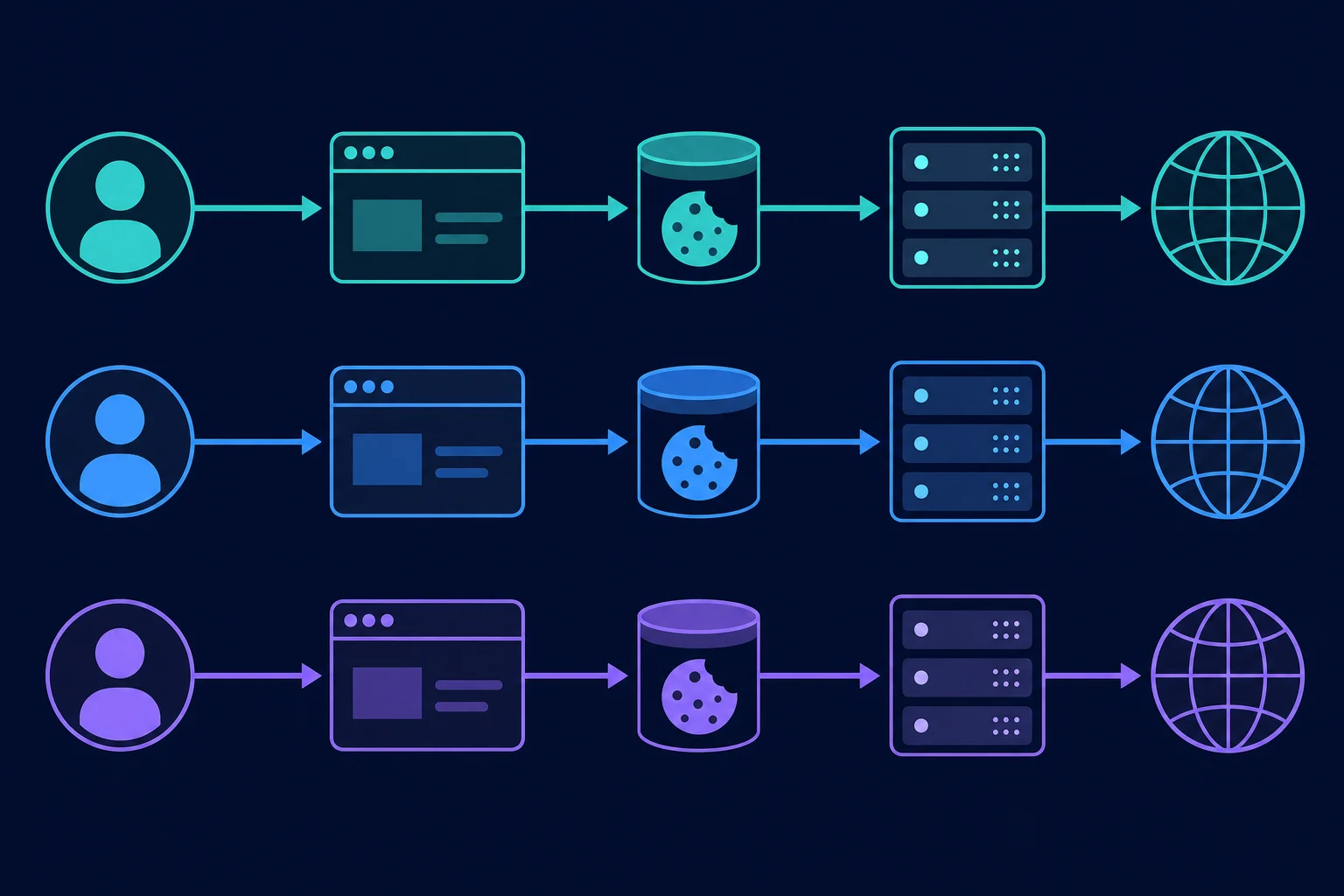
The goal is operational consistency, not evasion. Separate profiles reduce accidental cookie sharing between clients, and fixed assignments make it possible to investigate a security alert without guessing which operator or IP was active.
Do not reuse a live cookie jar after moving an account to a different proxy. Close the old session, verify the new route independently, and start a clean login with the account owner's normal security controls. If the same team also manages other platforms, the social media proxy selection guide covers the shared rules, and the Instagram proxy guide covers Instagram-specific checks.
Which proxy type works best for Twitter?
The right Twitter proxy is primarily a choice between continuity and location coverage. Protocol matters for compatibility, but IP assignment and session behavior matter more for most browser workflows.
Static ISP proxies for persistent account work
A static ISP proxy provides one dedicated IP that does not rotate between requests. It is usually the most straightforward fit for an owned account that returns from the same browser profile over days or weeks.
Use an ISP proxy when:
- A social team needs a repeatable egress point.
- One client account should remain isolated from another.
- A browser profile needs a long-lived network assignment.
- Predictable latency matters for normal interactive work.
- The exact required region is available from the provider.
Static does not mean permanently trusted. A fixed IP can still develop a poor history if it is shared across too many unrelated tasks, used for repeated failed logins, or paired with rule-breaking activity. Dedicated assignment makes behavior easier to control; it does not provide immunity from platform enforcement.
Sticky residential proxies for time-bounded regional sessions
A sticky residential proxy keeps one residential exit for a defined session window. It can fit authorized localization, ad-quality, or support checks that need consumer-style regional egress and a logged-in session.
Confirm the provider's actual session duration before starting. If the IP changes halfway through a long moderation or review task, the same cookies may suddenly arrive from a different network. For work that regularly outlasts the sticky window, a static route is simpler.
Residential browser traffic can also consume significant bandwidth because timelines include images, video, scripts, and repeated API calls made by the web application. Measure a normal session before estimating plan size. The residential proxy setup guide explains session naming and verification in more detail.
Rotating residential proxies for independent public checks
Rotation fits checks that are both independent and permitted: for example, observing whether a public campaign link resolves in several countries or confirming the public, logged-out presentation of an owned profile.
Start a fresh browser context for each region. Do not keep one authenticated cookie jar while changing the exit on every request. If the check needs account state, switch to a sticky route and keep the assigned region fixed for the entire session.
Datacenter and mobile proxies
Datacenter proxies may be fast and economical, but hosted IP ranges are easy for services to classify. They can be adequate for a permissive internal integration or an approved API workload with stable server egress; they are usually not the first choice for an interactive account that should resemble a normal long-lived user connection.
Mobile proxies are justified when carrier-network egress is the thing being tested. They are not automatically better just because X has a mobile app. Carrier-grade NAT can also mean many subscribers appear behind one public address, so "mobile" does not necessarily mean dedicated.
If you are comparing the main categories, ISP proxies vs residential proxies separates the stability, coverage, rotation, and billing tradeoffs.
How IP reputation affects Twitter proxy sessions
IP reputation is not a single public score you can look up and treat as X's verdict. It is a practical shorthand for the history and characteristics associated with an address or network: whether it is shared, where it is announced, how traffic from it behaves, and whether it has recently produced abuse or unusual failure patterns.
Several network conditions can make a proxy route harder to use:
- The address is shared by many unrelated customers.
- The IP previously carried spam, credential attacks, or other abusive traffic.
- The proxy country is far from the account's normal operating region.
- One endpoint carries many accounts or concurrent sessions.
- The route changes unexpectedly inside an active session.
- Latency or packet loss causes partial loads and repeated submissions.
- The IP geolocation database disagrees with the provider's advertised region.
But a login challenge is not proof of bad IP reputation. A new device, stale cookies, incorrect password, unusual location, account recovery event, or platform-side security check can look similar from the operator's perspective. Diagnose by changing one variable at a time.
Free public proxy lists are especially poor candidates for account access. They are commonly shared, unstable, unauditable, and operated by unknown parties. Sending account credentials through an untrusted endpoint creates a security risk before reputation is even considered. Our guide to open proxies explains who runs them and what they can see.
Diagnose a Twitter proxy problem without rotating blindly
Begin with the exact symptom and a controlled baseline. Randomly replacing proxies after every failure destroys the evidence you need to identify the cause.
| Symptom | First check | What not to assume |
|---|---|---|
| Proxy connection fails before X loads | Test proxy host, port, protocol, credentials, and allowlist against a neutral HTTPS page | This is not yet an X account problem |
| X loads, but login needs verification | Review account security notices, device/profile continuity, region, and authorized access | A new IP alone is not proven to be the cause |
| Session repeatedly logs out | Check cookie persistence, profile isolation, proxy stability, and sticky-session expiry | More frequent rotation will not restore continuity |
| API returns HTTP 429 | Read rate-limit headers and wait for the endpoint window to reset | A larger proxy pool does not increase the token or app limit |
| One route fails while a controlled direct baseline works | Compare region, ASN, latency, sharing, and IP history | Do not change browser, account, and proxy simultaneously |
| The account is restricted | Follow X's review and recovery process | Do not use another proxy or account to evade enforcement |
Use this test sequence:
- Validate the proxy separately. Open a neutral HTTPS endpoint and confirm the observed IP, country, protocol, and authentication. A
407response means the proxy rejected your credentials; the 407 Proxy Authentication Required guide covers the fixes. - Check the account separately. Use the normal approved environment or official recovery process to see whether the account itself needs action.
- Create a clean controlled profile. Do not mix cookies from several accounts or previous proxy routes.
- Test one candidate route. Keep browser version, region, account, and action sequence fixed.
- Record the result. Log timestamp, account alias, profile, proxy ID, observed IP, country, latency, error text, and whether verification was requested.
- Stop on security or policy warnings. Repeated retries can add noise and make recovery harder.
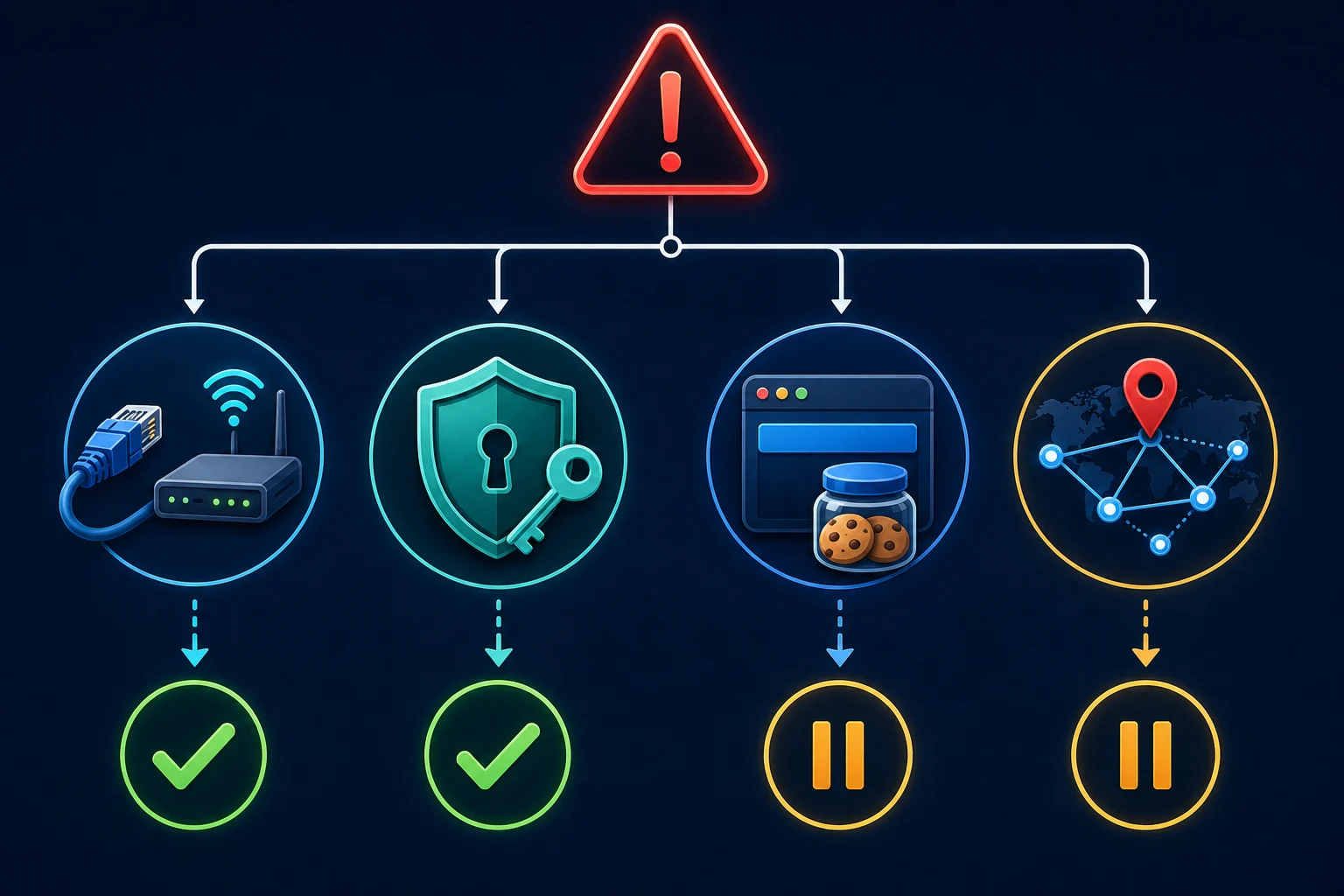
This sequence distinguishes a proxy authentication failure from an account-security event and an API limit. If the proxy cannot reach a neutral site, fix the proxy configuration first. If the account has the same problem on every healthy route, follow the account's security or support path rather than buying more IPs.
Twitter proxies do not bypass X API limits
X documents API rate limits by endpoint and, depending on authentication, by user or application. When an endpoint returns HTTP 429, its rate-limit documentation tells developers to inspect the limit headers and wait for the reset time.
Changing the source IP does not reset an OAuth user's or application's quota. Build the integration to cache responses, monitor the remaining and reset headers, apply backoff, and stay inside the current endpoint limits. If you need a different access level, use the supported developer path rather than distributing calls across proxies.
The policy boundary is just as important. X's developer guidelines direct applications to use the official API instead of scraping or browser automation and document restrictions on spam, duplicative posting, aggressive actions, and other automated behavior. A stable proxy can provide controlled server egress, but it cannot authorize an unsupported collection or engagement workflow.
X's developer policy requires express, informed consent before an application takes actions on a person's behalf and prohibits attempts to circumvent rate limits. Keep every account's purpose and operator authorization documented; do not interpret account isolation as permission to operate an account farm.
A safe setup checklist for Twitter proxies
Before connecting an owned account, verify the following:
- The account owner authorized the operator and the intended work.
- The workflow follows X's current rules and uses the official API where required.
- The proxy provider can explain whether the route is dedicated, shared, sticky, or rotating.
- The proxy source, region, and billing model fit the actual task.
- One account and browser profile have one recorded proxy assignment.
- Two-factor authentication and recovery methods are current.
- The observed IP and country match the assignment before login.
- DNS and browser traffic follow the intended route.
- Sticky-session duration exceeds the planned session length.
- Operators know how to stop and escalate on a security alert.
For HTTP(S) browser use, test the proxy host and port before adding credentials to a profile manager. SOCKS5 can also work when the client supports it correctly, but the protocol does not improve IP reputation by itself. The SOCKS5 vs HTTP proxy guide covers compatibility and DNS behavior.
Replace a proxy without creating a location jump
Replace a stable route only for a clear reason, such as persistent connection failure, incorrect geolocation, an expired allocation, or a provider-confirmed network issue. Constant replacement works against the continuity an account proxy is supposed to provide.
Use a controlled migration:
- Stop active work and record the old proxy and last successful session.
- Sign out normally when possible, then close the browser profile.
- Obtain a replacement in the same expected region.
- Verify the new IP, location, latency, and HTTPS connectivity without account credentials.
- Reopen the isolated profile and complete any legitimate security verification.
- Update the assignment record and monitor the first normal session.
Do not reuse a replacement to avoid an account restriction. If X has limited or suspended an account, follow the platform's appeal or recovery process.
When Unknown Proxies fits
Unknown Proxies offers two relevant options for authorized Twitter workflows:
- ISP proxy plans for fixed, dedicated assignments where one account and browser profile need a long-lived route.
- Residential proxies for legitimate regional QA, independent public checks, or sticky sessions that fit within the available session duration.
Choose ISP when continuity is the main requirement. Choose residential when location coverage is the real requirement. If the operator already has a suitable direct connection or the work belongs entirely in the X API, adding a proxy may not improve the workflow.
FAQ
What is an X proxy?
An X proxy is the same thing as a Twitter proxy: a proxy server that routes your browser or app to X through another IP. X still sees your account, cookies, device, and behavior. Only the network route changes.
What are Twitter proxies used for?
Twitter proxies are used to give an authorized browser, account-management environment, or approved application a specific network route. Common legitimate uses include stable business egress, client-environment separation, and regional QA. They do not grant permission to automate or scrape X.
Should I use a residential or ISP proxy for Twitter?
Use a static ISP proxy for a persistent owned-account session. Use a sticky residential proxy for a time-bounded session that genuinely needs a residential region. Use rotating residential exits only for independent, logged-out checks that can start with fresh browser state.
Should every Twitter account have a different proxy?
For a team managing distinct authorized accounts, one stable proxy per account or isolated client environment gives the cleanest mapping. More important than the raw count is avoiding shared cookies, mid-session IP changes, and undocumented operator access.
Can a Twitter proxy prevent account locks?
No. A proxy changes the network route, not the account's permissions, history, device signals, cookies, authentication, action patterns, or compliance. Stable assignments can reduce avoidable network changes, but they cannot guarantee account acceptance.
Can I rotate Twitter proxies while logged in?
Do not rotate an authenticated session per request. If the proxy must change, stop the session, verify the replacement, and migrate deliberately. Use a fresh browser context for independent regional checks.
Will another proxy fix an X API 429 error?
No. X API quotas are enforced by endpoint and authentication context, such as the user or application. Read the response headers, wait until the documented reset time, and reduce or cache requests.
Conclusion
Twitter proxies work best as controlled network infrastructure for legitimate, authorized tasks. Use a static ISP route for persistent account management, a sticky residential session for bounded regional work, and rotating residential exits only when public checks are independent and logged out.
Keep the account, browser profile, cookies, region, and proxy assignment together. Diagnose failures one variable at a time, keep account security enabled, and use the official X API for automation. Once those requirements are clear, compare ISP and residential proxy pricing based on stability, location, and measured traffic rather than the size of a rotating pool.