A web browsing agent is an LLM that drives a real browser: it reads the page, decides what to click or type, and repeats until the task is done. Browser Use, Playwright-based MCP servers, hosted browser platforms, and the cloud browser in ChatGPT Work all work this way. They get blocked for the same reasons scrapers do, only faster. Agents usually run from cloud IPs, with headless browser defaults, and they retry failures without judgment.
Proxies for AI agents fix one layer of that problem: the network identity. A residential or ISP proxy replaces a cloud datacenter IP with one that has better reputation, puts the agent in the right country, and keeps one stable exit for a multi-step task. A proxy does not fix an automation fingerprint, a retry loop, or a site that has decided not to allow agents at all.
This guide walks through how to tell which layer is blocking your agent, which proxy setup fits which kind of agent task, and the agent-side changes that matter as much as the IP.
Quick Diagnosis: What the Block Is Telling You
Start with the response, not the proxy. The status code and where it appears narrow the cause quickly.
| What the agent sees | Likely layer | First fix |
|---|---|---|
| 403 Forbidden on the very first page | IP or ASN reputation, WAF rule | Compare the same URL from a residential or ISP exit |
| Cloudflare Error 1020 | Site owner's firewall rule | Stop. Check whether the site allows automated access |
| 429 Too Many Requests or Cloudflare 1015 | Rate limit | Honor Retry-After, cut concurrency per domain |
Challenge page with a cf-mitigated: challenge header |
Bot score (IP plus browser signals) | Fix IP reputation and browser signals together |
| Logged out halfway through a task | Exit IP changed mid-session | Use one sticky session or ISP IP per task |
| Wrong language, currency, or prices | Geo mismatch | Pin the proxy country and match browser locale and timezone |
| 407 Proxy Authentication Required | Proxy credentials | Fix the username, password, or allowlisted IP |
Two patterns deserve attention. If the agent works on your laptop and fails the moment it runs on a cloud VM, the IP is the prime suspect. If it fails from every network, including your home connection, the problem is the browser or the behavior, and a proxy will not change the outcome.
Cloudflare documents the cf-mitigated challenge header specifically so automated clients can detect a challenge instead of parsing HTML. Check for it in the agent's navigation tool and return a clear signal to the model instead of the challenge HTML.
Why Web Browsing Agents Get Blocked
Bot management systems score a request on several signals at once. A web browsing agent tends to fail several of them together, which is why it gets blocked harder than a human on the same page.
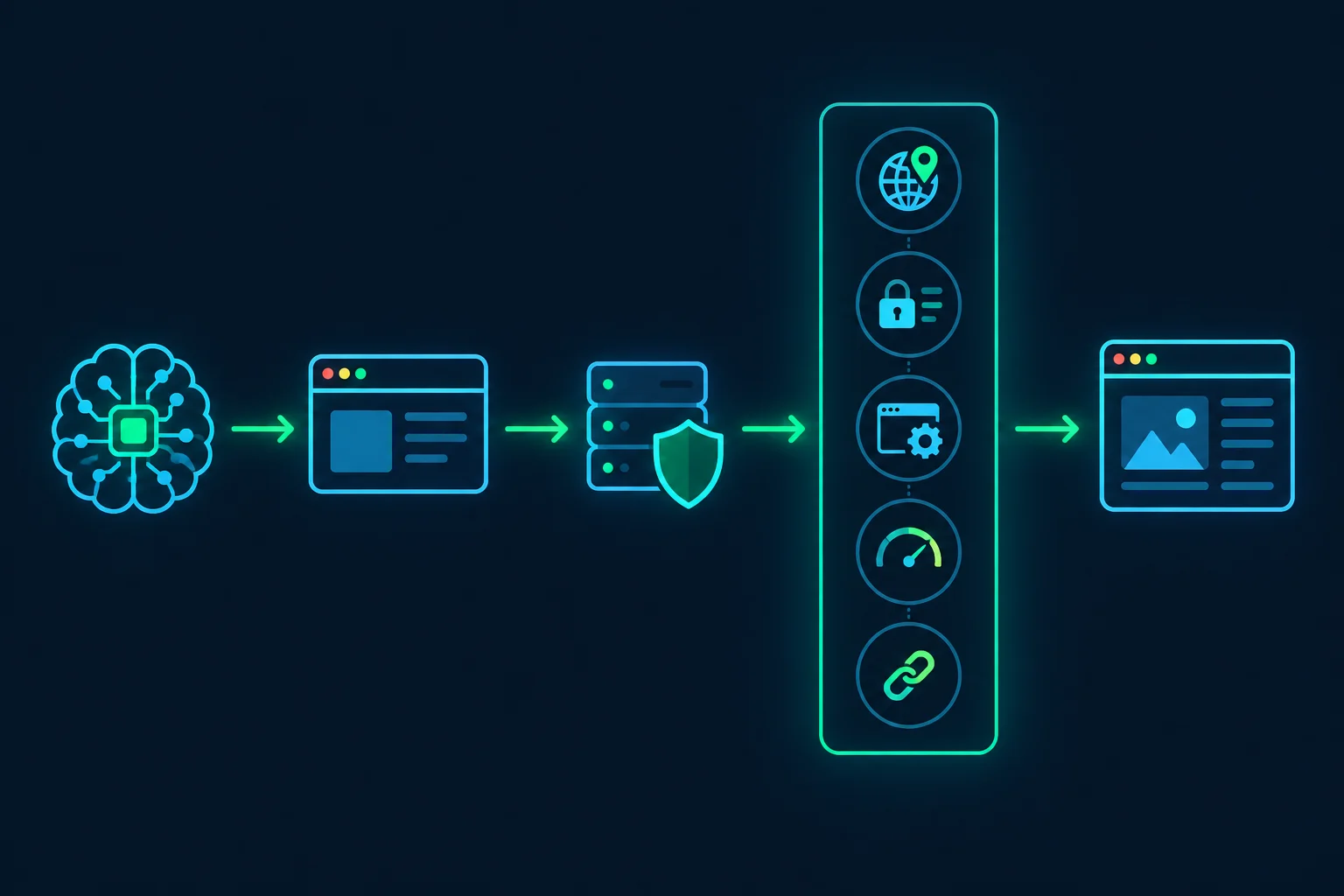
Cloud and datacenter IPs
Most agents run on AWS, Google Cloud, Azure, or a hosted browser provider. Those IP ranges belong to hosting ASNs, and many sites score hosting ASNs as high-risk by default because very little human browsing comes from them. Some sites block them outright with a firewall rule, which shows up as an immediate 403 or a Cloudflare 1020.
This is the problem proxies solve most directly. For the underlying tradeoff, see datacenter proxies vs residential proxies.
Automation fingerprints
A default headless Chromium launch announces itself. The User-Agent contains HeadlessChrome, and navigator.webdriver is true whenever the browser is under automation control. Bot managers also look at the TLS handshake. Cloudflare exposes JA3 and JA4 fingerprints to Enterprise Bot Management customers, so a client that claims to be Chrome in its User-Agent but negotiates TLS like a Python library is easy to spot.
A proxy changes none of this. A residential IP with an obviously automated browser still scores as automated, just from a nicer address.
Agent traffic patterns
An LLM agent does not browse like a person. It loads a page, takes a screenshot or reads the DOM, thinks for a few seconds, then fires a burst of actions. When something fails, it often tries again immediately, repeating the exact action that just failed. Run ten agents in parallel through one IP and the target sees ten times that pattern from one address.
Retrying a 429 early is the worst case. Many rate limiters count those retries against the same window, so the block lasts longer, and some escalate repeat offenders to longer blocks.
Session breaks from rotation
This one is specific to agents that use proxies badly. A per-request rotating proxy gives every page load a different exit IP. For a stateless fetch, that is fine. For an agent that logs in, fills a cart, or pages through search results, it looks like the session cookie is being passed between strangers. Risk engines respond by logging the user out, resetting the flow, or showing a challenge.
Geo and locale mismatch
A VM in us-east-1 with a German proxy, an en-US browser locale, and a UTC timezone is inconsistent in a way a normal visitor rarely is. The mismatch alone is rarely a block, but it adds to the bot score and it produces wrong content: the agent reads prices, stock, or search results for the wrong market and reports them confidently.
Unidentified automation
Some sites simply do not allow automated agents they cannot identify. No proxy should be used to get around that decision. The legitimate route is to identify the agent with signed requests, covered further down.
What Proxies for AI Agents Fix, and What They Don't
It helps to be precise about which problems move to the proxy layer.
| Problem | Does a proxy help? | What actually fixes it |
|---|---|---|
| Hosting ASN blocked or low-trust | Yes | Residential or ISP exit |
| Content varies by country or city | Yes | Geo-targeted exit plus matching locale and timezone |
| Logouts mid-task | Yes, if configured right | Sticky session or static ISP IP per task |
| Too much traffic from one IP | Partly | Spread tasks across IPs and reduce per-domain rate |
HeadlessChrome, navigator.webdriver, TLS mismatch |
No | Browser configuration and a real browser build |
| Retry storms | No | Retry limits and backoff in the tool layer |
| Site blocks agents by policy | No | Permission, an official API, or a signed agent |
If most of your failures land in the bottom three rows, spend the effort there before buying proxy capacity.
Choosing Residential vs ISP Proxies for a Web Browsing Agent
Match the proxy to the shape of the agent task, not to the target site alone.
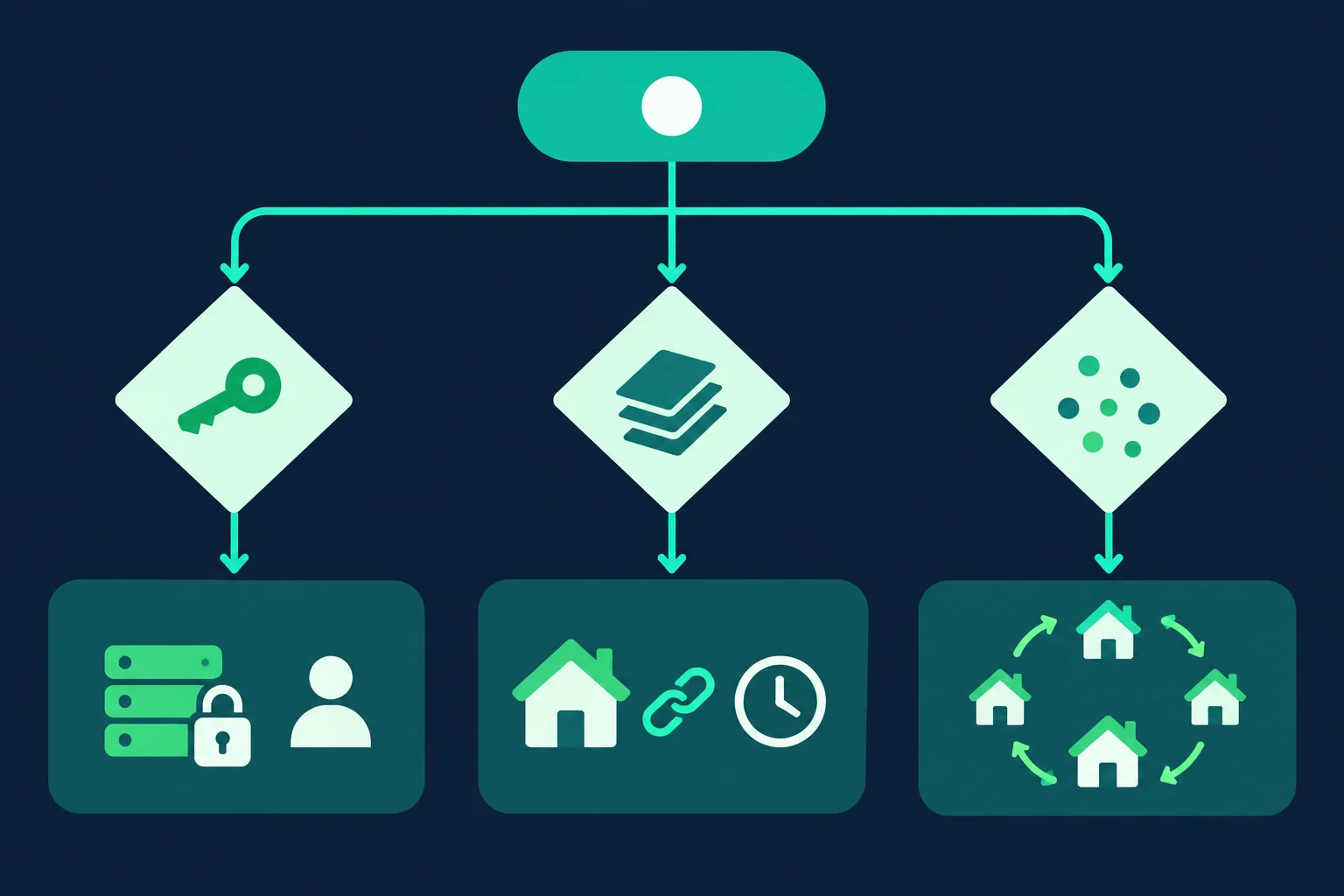
Logged-in, long-lived agents: ISP proxies. If an agent operates one account day after day, such as an ops assistant that checks a supplier portal every morning, give it a dedicated static IP. ISP proxies keep the same address for the life of the plan, which is what an account's login history expects. See ISP proxy pricing for plans.
Multi-step tasks without an account: sticky residential sessions. Research agents that search, open results, and paginate need continuity for the length of the task, not forever. A sticky residential session holds one exit for the task, then you let it go. Unknown Proxies sticky residential sessions rotate every 2 hours, which covers most agent tasks. If a task can run longer, checkpoint it and start a fresh session with a fresh browser context rather than letting the IP change underneath open cookies.
Independent fetches: rotating residential. If the agent's tool only fetches single pages across many domains, per-request rotation spreads load and nothing depends on continuity. Residential proxies cover both sticky and rotating modes with country targeting.
The deeper comparisons are in ISP proxies vs residential proxies and sticky vs rotating proxies. The short rule for agents: one task, one browser context, one exit IP.
Proxy Setup for Web Browsing Agents
The proxy belongs at the browser layer, set before the agent gets control of the page. Keep credentials in environment variables so they never end up in a prompt, a trace, or the model's context.
Browser Use
Browser Use takes a ProxySettings object on the Browser, per its browser parameters reference:
import asyncio
import os

from browser_use import Agent, Browser, ChatOpenAI
from browser_use.browser import ProxySettings

browser = Browser(
    proxy=ProxySettings(
        server=os.environ["PROXY_SERVER"],  # e.g. http://host:port
        username=os.environ["PROXY_USERNAME"],
        password=os.environ["PROXY_PASSWORD"],
        bypass="localhost,127.0.0.1",
    ),
    user_data_dir="./profiles/supplier-portal",
)


async def main():
    agent = Agent(
        task="Open the supplier portal and list orders shipped this week",
        llm=ChatOpenAI(model="gpt-6-luna"),
        browser=browser,
    )
    await agent.run()


asyncio.run(main())
The user_data_dir keeps cookies and local storage between runs. Pair a persistent profile with a stable exit, either an ISP IP or the same sticky session, so the site sees the same visitor each time.
Playwright (agents you build yourself)
If your agent calls Playwright directly, set the proxy per browser context. Each context has its own cookies and storage, so one context per task maps cleanly to one proxy session:
import asyncio
import os

from playwright.async_api import async_playwright

PROXY = {
    "server": os.environ["PROXY_SERVER"],
    "username": os.environ["PROXY_USERNAME"],
    "password": os.environ["PROXY_PASSWORD"],
}


async def main():
    async with async_playwright() as p:
        browser = await p.chromium.launch()
        context = await browser.new_context(
            proxy=PROXY,
            locale="de-DE",
            timezone_id="Europe/Berlin",
        )
        page = await context.new_page()

        # Confirm the exit before the agent starts working
        await page.goto("https://api.ipify.org?format=json")
        print("exit ip:", await page.text_content("body"))

        response = await page.goto("https://example.com")
        print("status:", response.status if response else None)

        await context.close()
        await browser.close()


asyncio.run(main())
The locale and timezone_id values here assume a German exit. Set them to match whatever country your proxy targets; Playwright's emulation docs list the options. For global versus per-context setup, authentication formats, and rotation patterns, the Playwright proxy guide goes further. MCP browser servers built on Playwright generally take the same settings as launch flags or config, so the same rules apply there.
Check the exit before every task
Log the exit IP at the start of each task, as in the example above. It catches the three most common setup mistakes before the agent burns tokens on them: the proxy was not applied at all, credentials are wrong (usually a 407), or the session has already rotated. If the agent reports an IP you do not expect, fail the task early.
Agent-Side Fixes That Matter as Much as the IP
A clean IP buys you a better starting score. The agent's behavior decides whether it keeps it.
Put retry limits in the tool, not the prompt. Do not rely on the model to decide when to give up. Wrap the browser's navigation tool so it classifies the response and returns an instruction the model cannot misread:
def classify(status: int, headers: dict[str, str]) -> dict:
    # Playwright's response.headers uses lowercase names
    if headers.get("cf-mitigated") == "challenge":
        return {"action": "stop", "reason": "challenge page, needs human review"}
    if status in (429, 503):
        retry_after = headers.get("retry-after", "")
        wait = int(retry_after) if retry_after.isdigit() else 60
        return {"action": "wait", "seconds": wait}
    if status == 407:
        return {"action": "stop", "reason": "proxy auth failed, fix credentials"}
    if status in (401, 403):
        return {"action": "stop", "reason": f"HTTP {status}, do not retry this domain"}
    return {"action": "continue"}
Retry-After can be a number of seconds or an HTTP date, per MDN's Retry-After reference. The fallback of 60 seconds covers the date form and missing headers. A 403 returns stop, not "rotate and retry." Rotating through IPs after a firewall block is how an agent turns one refusal into a pattern the site learns to block wholesale.
Rate-limit per domain across all agents. Ten agents that each wait 2 seconds between actions still send 5 actions per second to the same site. Put a shared per-domain limiter in front of navigation. The delay calculator helps size pacing against the number of IPs you have.
Reuse state. Save cookies and storage after a successful login and load them next time instead of logging in again. Playwright's authentication guide covers storage_state. Fewer logins means fewer risk checks.
Keep identity signals consistent. Proxy country, locale, timezone_id, and Accept-Language should agree. Do not spoof a User-Agent that contradicts the actual browser build; the TLS fingerprint will disagree with it.
Cache pages the agent has already read. Agents often revisit the same URL while reasoning. A short-lived cache in the tool layer removes those repeat hits entirely.
The general crawling version of this discipline is in how to crawl a website without getting blocked.
Identify Your Agent When the Site Supports It
Proxies make an agent look less like cloud infrastructure. Signed requests do the opposite: they tell the site exactly which agent is visiting, and bot managers now have ways to allow verified agents by identity.
Web Bot Auth uses HTTP Message Signatures (RFC 9421). The agent operator signs each request with an Ed25519 key and sends Signature, Signature-Input, and Signature-Agent headers. The public key is published at /.well-known/http-message-signatures-directory on the operator's domain. Since July 2026, Cloudflare classifies registered signed agents as verified bots, so site owners can allow them in their bot rules. ChatGPT Work's cloud browser, which replaced ChatGPT agent, already signs its requests this way.
If you run an agent product used by many people, signing is worth the work. A verified identity survives IP changes and makes proxies a routing choice rather than a trust question.
Also respect the published rules. Check robots.txt (standardized in RFC 9309) and the site's terms, and do not send agents through flows the site restricts, such as account creation or checkout limits. For the legal side of automated collection, read is data scraping legal.
Debugging a Blocked Web Browsing Agent
Change one variable at a time and write down the result of each step.
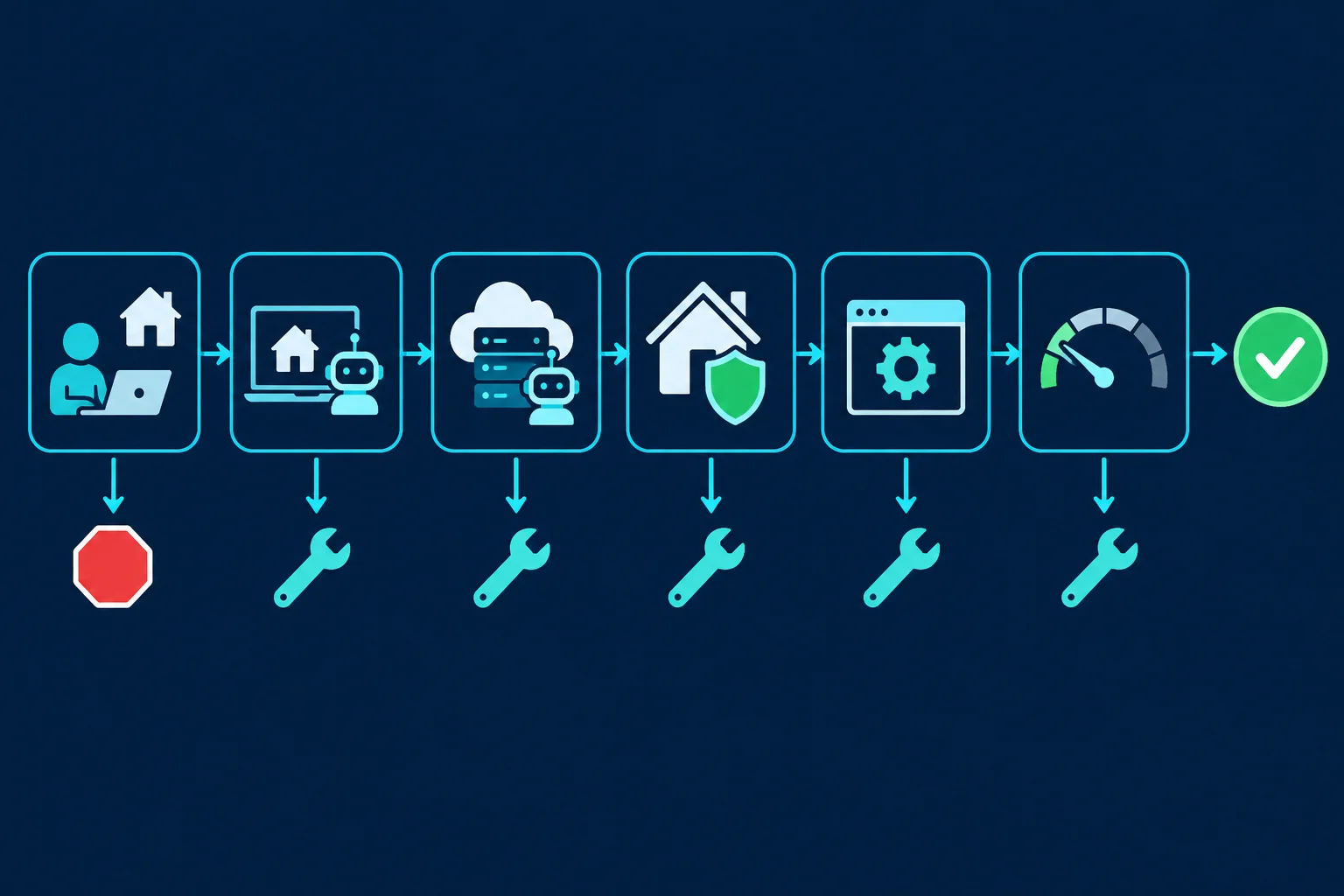
- Run the same task by hand in a normal browser on your home network. If a person gets blocked too, the site restricts that flow. Stop here.
- Run the agent locally without a proxy. If it fails at home too, skip ahead to the browser and pacing steps; the IP is not the main problem.
- Run the agent on your cloud host without a proxy. If it worked locally and fails here, the cloud IP is the prime suspect.
- Run it in the cloud through a residential or ISP exit, confirming the exit IP first. If the block clears, keep the proxy and move on to pacing.
- If it still fails, change the browser, not the IP. Try headed mode on a virtual display or a real Chrome build, and remove any User-Agent override. An anonymous proxy detected message points at IP signals; a challenge that follows you across every IP points at the browser.
- Cut concurrency to one agent per domain and add delays. If failures disappear, you were rate-limited; raise throughput slowly.
If failures only start partway through a task, check session continuity before anything else: log the exit IP at each step and confirm it did not change.
FAQ
What is a web browsing agent?
A web browsing agent is an AI system that controls a browser to complete tasks: navigating pages, clicking, filling forms, and extracting information. The model decides each action from what it sees on the page, usually via screenshots, the DOM, or an accessibility tree.
Do AI agents need proxies?
Not always. An agent running from your own network on a handful of sites may never need one. Proxies become useful when the agent runs on cloud infrastructure, needs a specific country, or runs many tasks in parallel that should not share one IP.
Should AI agents use rotating or sticky proxies?
Sticky, for almost any task with more than one page. Rotation per request breaks cookies and logins mid-task. Use rotating proxies only for tools that fetch independent single pages.
Will a proxy stop CAPTCHAs for my agent?
Sometimes it reduces them, when the trigger was a low-reputation IP. It will not help when the trigger is the automated browser fingerprint or the request rate. If challenges follow the agent across different IPs, fix the browser and pacing instead.
Why does my agent work locally but get blocked in the cloud?
Your home connection has a residential IP. Your cloud VM has a hosting-provider IP that many sites score as high-risk or block. Routing the cloud agent through a residential or ISP proxy usually closes that gap.
Is it legal to use proxies with AI agents?
Using a proxy is legal in most jurisdictions. What matters is what the agent does: accessing data you are permitted to access, following site terms, and not bypassing access controls. A proxy does not change those obligations.
Conclusion
A web browsing agent gets blocked because it combines a cloud IP, an automated browser, bursty traffic, and poor session handling. Proxies for AI agents fix the first and last of those when configured as one stable exit per task: ISP IPs for long-lived accounts, sticky residential sessions for multi-step tasks, and rotation only for independent fetches.
Fix the rest in the agent itself. Cap retries in the tool layer, pace requests per domain, keep locale and timezone consistent with the exit, and stop on a firewall block instead of rotating around it. When you are ready to route agents through better IPs, compare residential proxies for geo-targeted sticky sessions or ISP plans for dedicated static IPs.