A TikTok proxy routes your TikTok connection through another IP address. For a logged-in account, use one static ISP proxy or one sticky residential session per account, in the country where the account is registered. Rotate only for public checks that share no login. A proxy is not a way to manufacture engagement, hide deceptive activity, or evade an enforcement action.
The short version:
- One account, one IP. Give each authorized account its own static ISP proxy or sticky residential session, and its own browser profile or device.
- Match the account region. Keep the proxy in the country where the account was registered and normally operates.
- Keep other signals consistent. TikTok can also use the SIM card region, device settings, and Location Services. A proxy does not change those.
- Do not rotate while logged in. Use rotating residential IPs only for independent public-page checks.
- Make the session outlast the task. A static ISP IP does not rotate, and Unknown Proxies sticky residential sessions rotate every two hours, so finish an upload or settings change inside that window.
This guide explains how TikTok sets an account's region, how to map accounts to proxies, and what to test before you assign a proxy to a live account.
TikTok proxy quick decision
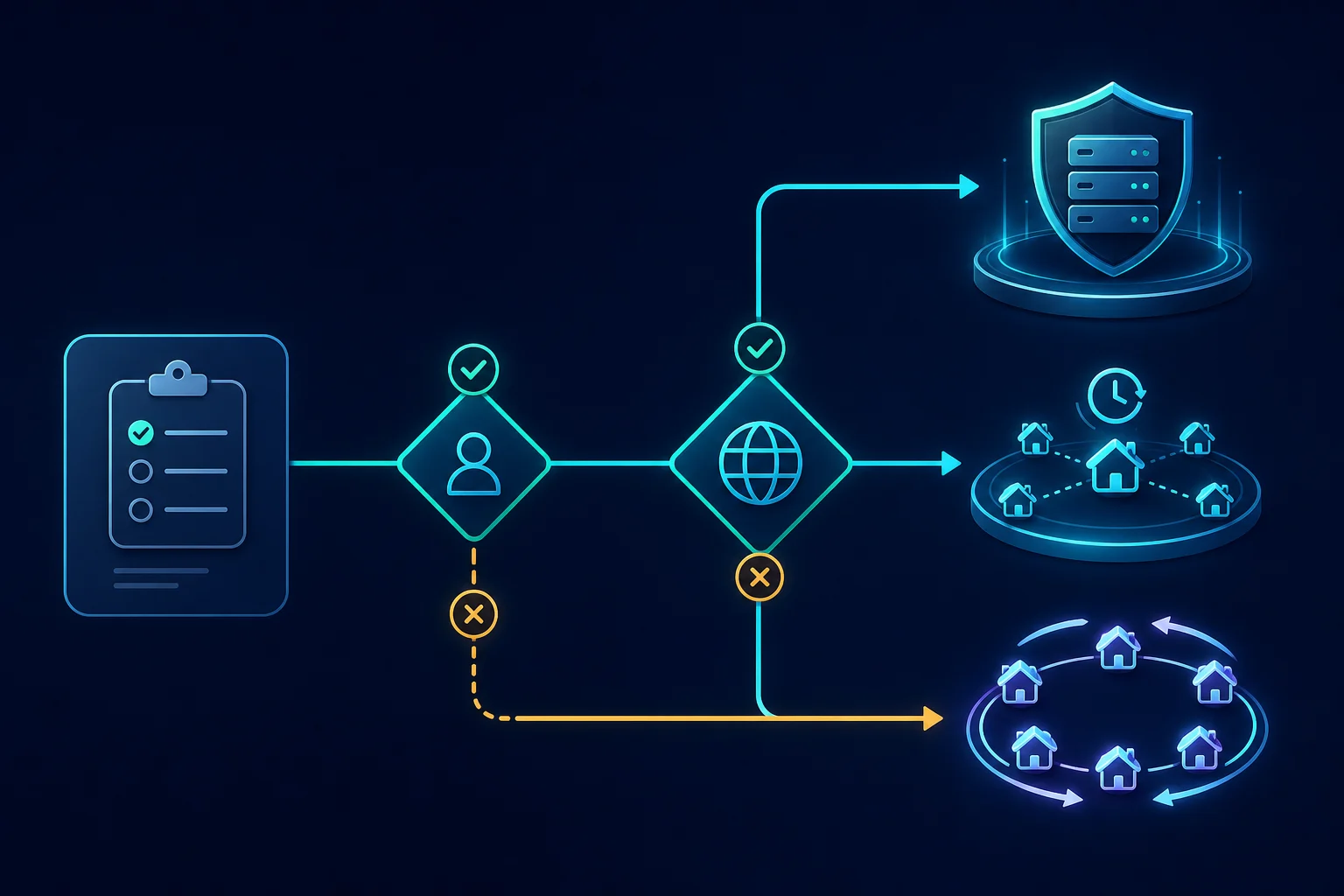
Choose the proxy around the task, not around a generic promise of "more accounts" or "fewer blocks."
| TikTok workflow | Better starting point | Why |
|---|---|---|
| Logged-in account or creator workflow | Static ISP proxy | Keeps one dedicated IP attached to the session |
| Time-bounded regional QA in a browser | Sticky residential proxy | Combines consumer-network routing with session continuity |
| Independent public-page checks | Rotating residential proxy or an approved API | Rotation can fit requests that share no login or cookie state |
| Internal connectivity testing | ISP or datacenter proxy | Predictable routing and latency matter more than broad rotation |
| Bulk account creation, fake engagement, or ban evasion | No proxy | These uses conflict with TikTok rules and a proxy does not make them acceptable |
If the next action depends on the current login, cookies, upload, draft, or settings page, keep the proxy stable. If every public check is truly independent, rotation may fit, but first confirm that the access method is allowed. For user-authorized profile and video data, TikTok provides an official Display API that may be a better fit than browser collection. For scheduled publishing, TikTok offers a Content Posting API to approved developers. Review the platform's Developer Terms before building an integration. If you do need proxies for permitted public data collection, the web scraping proxy guide compares the proxy types for that job.
What a TikTok proxy changes and what it does not
A proxy changes the public IP address and network route seen by the destination. Depending on the proxy, it can also change the apparent country, region, city, autonomous system, and connection latency.
It does not automatically change:
- The TikTok account region.
- GPS or device Location Services.
- SIM card region.
- Device language, system region, or time zone.
- Browser cookies, local storage, or login history.
- Device and browser characteristics.
- The location attached to existing account activity.
This distinction matters because TikTok says it may estimate approximate location from signals such as the SIM card region, IP address, and device system settings when Location Services are unavailable or turned off. Its location information documentation also explains that device Location Services can provide separate location data. An IP in one country does not overwrite all those other signals.
Use a proxy to create a dependable network route for a real operational need. Do not try to assemble a false identity by forcing unrelated signals to disagree.
How TikTok sets your account region: SIM, IP, and device
TikTok's help center says that when you sign up, it uses location information such as the region of your SIM card or your IP address to set the country or region on your account. You can see the result in the app's account settings, under the account region entry. Later, TikTok can estimate approximate location from the SIM region, IP address, and system settings, and from Location Services if you allow them.
What this means in practice:
| Signal | Does a proxy change it? | What to do |
|---|---|---|
| IP address | Yes | Put the proxy in the same country as the account region |
| SIM card region | No | On a phone, the SIM stays a signal even when Wi-Fi uses a proxy |
| Account region | No | Treat it as fixed. Do not try to change it with a new IP |
| Device language, region, and time zone | No | Leave them set to the operator's real setup |
| Location Services (GPS) | No | Follow your normal device policy. A proxy does not override GPS |
A US account with a US SIM that suddenly logs in from a European IP sends mixed signals. So does a UK account managed from a US residential proxy. Pick the proxy country from the account, not the other way around.
On a phone, a Wi-Fi proxy applies only to that Wi-Fi network and only to apps that use the system proxy setting. Mobile data does not go through it. Check the exit IP before you open TikTok, and read our guides to the iPhone HTTP proxy setting and Android SOCKS5 proxy setup for the platform details.
One IP per TikTok account: keep each session consistent
Logged-in TikTok work is stateful. The account, cookies, browser profile, and network identity build one session over multiple requests. Changing only the IP in the middle of that session can create an avoidable mismatch.
Use this one-to-one mapping:
- One authorized TikTok account.
- One browser or device profile.
- One cookie and local-storage set.
- One proxy identity.
- One operating region for the session.
Do not send several accounts through one browser profile, or move one account through a chain of unrelated exits during normal activity. If you must replace a failed proxy, stop the workflow, document the change, and start a clean session instead of repeatedly switching routes while the account is active.
Practical rules that follow from this:
- Do not share one IP across unrelated accounts. Several accounts on one IP link them at the network level. If one account has a problem, the others share the same route history.
- Log in from the account's normal route. If an operator sometimes works without the proxy, the account sees two networks. Make the proxy the only route for that profile.
- Keep the same IP for weeks, not hours. A static ISP proxy does not change unless you ask for a new one. That is why it suits long-lived accounts.
- Keep a written map. Record account, profile or device, proxy label, country, and operator. Leave passwords and session tokens out of it.
- Expect checks after a change. A new IP, device, or browser can trigger a verification prompt. Complete it once. Do not cycle proxies until the prompt goes away.
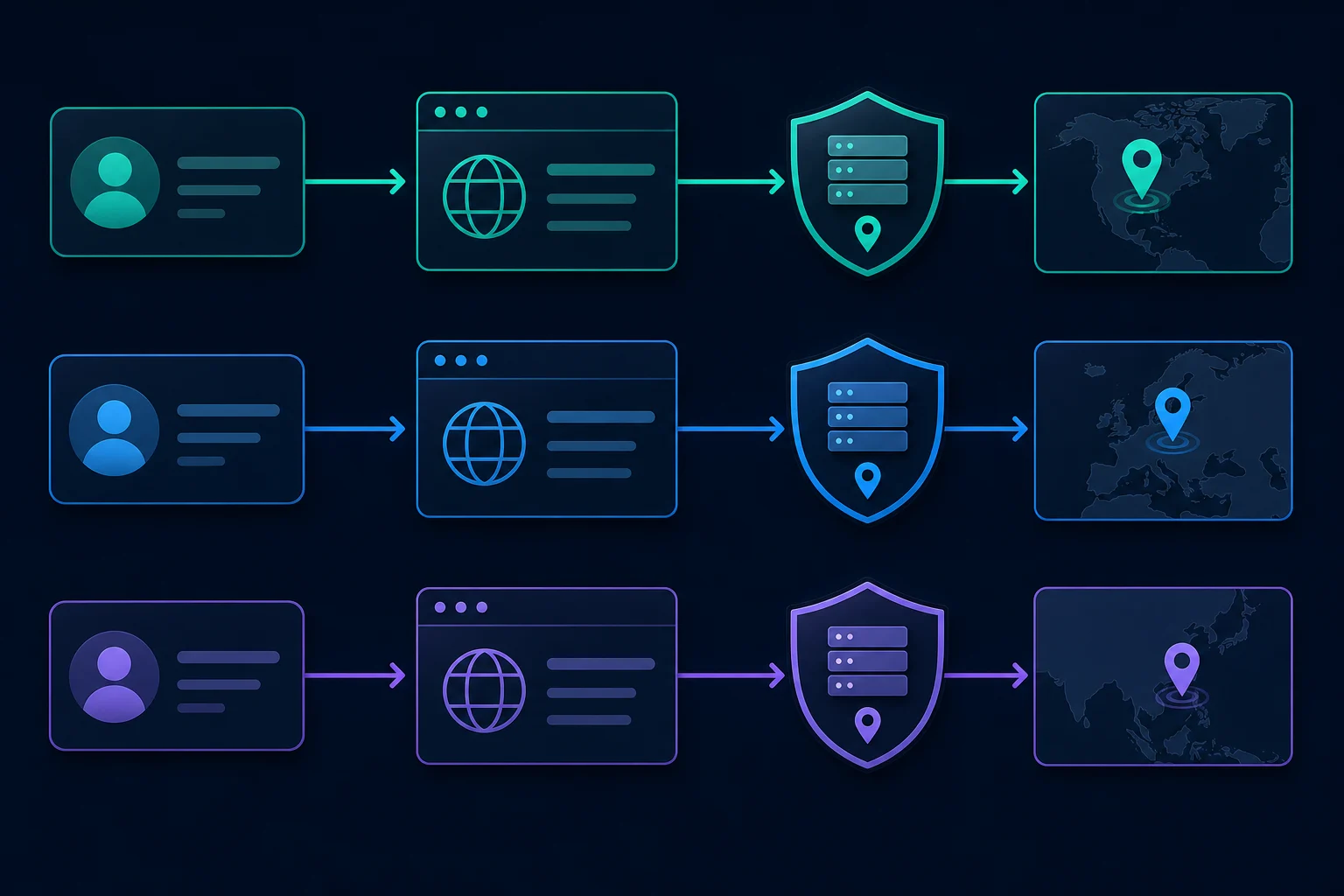
A static ISP proxy is the simplest model when a long-lived account needs a fixed IP. A sticky residential session fits a shorter workflow that needs consumer-network routing and a selected region. In either case, the session duration must be long enough for the entire task; a "sticky" proxy that expires halfway through an upload or settings change is not stable enough for that workflow.
For a deeper explanation of this decision, read sticky vs rotating proxies. If you use a residential pool, the residential proxy setup guide covers session identifiers, protocols, pacing, and task mapping.
How many TikTok accounts per IP?
Start with one. TikTok publishes no per-IP account limit, and the figures in vendor guides conflict. One vendor page says TikTok limits each device to three accounts, another research site says up to 15 accounts can run without proxies, and neither cites a TikTok source (checked October 2026). Treat those numbers as marketing, not policy.
What TikTok does publish is a rule about intent. Its Integrity and Authenticity guidelines allow more than one account for things like fan or creative content, but not to deceive people or break the rules, and they treat spreading violating content across accounts as circumvention. Sharing one IP among unrelated accounts links them at the network level, so the safe default for a team is one authorized account per proxy identity.
Choose the right location
Location targeting should follow a real business or testing requirement. Common examples include checking whether an authorized campaign page loads from its intended market, validating language and public content availability, or giving a remote operator a stable route in the account's established operating region.
Start at country level. Add state or city targeting only when the result genuinely depends on it. Narrower targeting reduces the number of eligible exits and may make sessions slower or less available without improving the test.
Keep these elements aligned during one session:
- The proxy country and the market being tested.
- The account's real operating context.
- Browser language and time zone when they reflect the operator's actual setup.
- The page, campaign, or content variant under review.
- The written test record, including the exit IP and timestamp.
Do not assume that a successful connection proves TikTok sees only the proxy location. Check the public exit IP with a neutral IP lookup before opening TikTok, then verify the intended experience inside the session. If the content is unexpected, investigate the account state, language, device settings, and cached data before changing proxies again.
Evaluate TikTok proxy IP quality
"Residential" or "ISP" is not a complete quality test. A useful TikTok proxy should be stable, correctly geolocated, responsive, and suitable for the assigned workload.
Evaluate these factors:
Geolocation accuracy
Confirm that multiple reputable IP databases place the exit in the country or region you purchased. Database disagreement can produce inconsistent regional tests even when the provider's label looks correct.
Network type and ASN
Check whether the IP is announced by the expected ISP or hosting network. ISP and residential labels describe the source network, but the destination can still evaluate the IP, ASN, subnet, and surrounding traffic.
Stability
Record whether the exit changes unexpectedly, whether sessions survive long enough, and whether repeated requests take the same route. Stability is more important than pool size for a logged-in account.
Sharing and prior use
A heavily shared or previously abused exit can inherit problems from unrelated users. Dedicated ISP proxies reduce simultaneous sharing, while residential pool exits may be used by multiple customers over time. Neither category guarantees a clean history.
Latency and upload reliability
Test connection time, page load time, and sustained upload behavior from the operator to the proxy and from the proxy to TikTok. A route that passes a quick IP check can still fail during a larger video upload or long browser session.
Authentication and protocol support
Use the protocol your browser, device, or approved tool supports. Test proxy authentication separately before diagnosing TikTok. An HTTP 407 response or connection timeout is a proxy setup problem, not a TikTok account block. The 407 Proxy Authentication Required guide separates credential and format issues from target-site responses.
ISP vs residential proxies for TikTok
The best category depends on whether stability or location diversity is the harder requirement.
| Factor | Static ISP proxy | Sticky residential proxy | Rotating residential proxy |
|---|---|---|---|
| Exit behavior | Fixed | Fixed for a session window | Changes by request or provider rule |
| Best fit | Long-lived logged-in sessions | Regional browser sessions that need continuity | Independent public checks |
| Location coverage | Limited to purchased inventory | Usually broad | Usually broad |
| Session risk | Low identity churn | Depends on sticky duration | High for logged-in work |
| Pricing basis | Usually proxy count and duration | Usually bandwidth | Usually bandwidth |
| Main tradeoff | Less flexible rotation | Session can expire | Rotation can break state |
Use an ISP proxy when one authorized account or browser profile needs a predictable dedicated IP. Use residential proxies when legitimate regional testing needs broader country coverage, then choose sticky mode for any multi-step session.
Do not choose rotating residential proxies for an active login merely because they offer more IPs. More identity changes are a disadvantage when cookies and account state need continuity. The ISP vs residential proxy comparison provides a broader category breakdown. If the same team also runs Instagram or X accounts, the Instagram proxy guide and the social media proxy selection guide apply the same account-to-IP rules across platforms.
Mobile and datacenter proxies for TikTok
Datacenter proxies may be adequate for internal connectivity checks or permissive public endpoints, but they are easy to classify as hosting traffic. The datacenter vs residential comparison covers where they still fit.
Mobile proxies exit through carrier networks, where many subscribers share one public address. Vendor guides rank them as the most trusted and the most expensive tier, and the survival rates they quote are self-reported (checked October 2026). They are not automatically better: they can be shared, variable in latency, and unnecessary when the workflow only needs a stable country-level route. Unknown Proxies sells ISP and residential proxies, not mobile, so test the lightest of those two that meets the real requirement.
Do you need a proxy to access TikTok?
Usually not. TikTok's US ownership change closed in January 2026 through a joint venture, and reports at the time said the existing app stayed available with no new download (Tom's Guide and others). A proxy is not needed to reach the app from the US based on those reports. Check current availability in your own app store before you plan around either outcome.
Where a school, workplace, or country blocks TikTok at the network level, a proxy can change the route. Use one only where the network owner and local law allow it, and expect the account to see a new location.
A safe TikTok proxy setup checklist
Use a controlled setup instead of attaching a new proxy to every live account at once.
- Define the permitted task. Write down whether the job is account access, campaign QA, authorized publishing, or public research. Review the rules that apply to the account, tool, and region.
- Prefer an official interface when available. Use TikTok's approved developer products for supported data and publishing workflows instead of reproducing them through browser automation.
- Choose the session model. Pick static ISP or sticky residential for logged-in work. Use rotation only for independent requests.
- Verify the exit before login. Check IP, country, region, ASN, DNS behavior, and latency without exposing account credentials.
- Create a dedicated browser profile. Keep its cookies, storage, proxy, and operating context together. If your profile manager expects a different proxy string layout, the proxy formatter converts
host:port:user:passlists. - Run a low-risk test. Load public pages and confirm the expected region before opening an important account session.
- Assign one account to the route. Record the account-to-proxy mapping without placing passwords or session tokens in ordinary logs.
- Use conservative pacing. Human-operated QA and approved integrations should not produce synchronized bursts or retry loops.
- Monitor network failures separately. Log proxy connection errors, timeouts, response codes, exit changes, and timestamps.
- Stop on account verification or enforcement. Resolve the issue through TikTok's supported recovery or appeal process; do not cycle proxies to avoid it.
TikTok's Terms of Service make use of the platform subject to its Community Guidelines. Those guidelines prohibit fake engagement, spam, deceptive account behavior, and automation intended to bypass platform systems. A proxy is network infrastructure, not permission to ignore those boundaries.
Troubleshoot without churning IPs
When a TikTok workflow fails, classify the failure before replacing the proxy.
| Symptom | Likely area | First check |
|---|---|---|
| Proxy connection fails before any page loads | Proxy authentication, protocol, or network | Test credentials and format against a neutral endpoint |
| Login verification appears | Account security or inconsistent session context | Stop changing routes and use the supported verification flow |
| Regional content is unexpected | Multiple location signals or cached state | Check exit geolocation, account context, language, SIM, GPS, and cache |
| Upload starts but stalls | Route latency, packet loss, or session expiry | Run a sustained upload test and confirm sticky duration |
| HTTP 403 appears | Access policy, session, request, or IP reputation | Compare the same allowed action on the normal connection and inspect the response |
| HTTP 429 appears | Request rate or retry behavior | Reduce frequency and concurrency before adding IPs |
| Account is restricted or banned | Platform enforcement | Use TikTok's appeal or recovery path; do not attempt circumvention |
If the target returns HTTP 403 Forbidden, check login state, browser consistency, policy, and IP quality separately. If it returns HTTP 429 Too Many Requests, slow down and remove aggressive retries. Rotating faster can make both problems harder to diagnose.
Change one variable at a time. Hold the browser profile, account, region, and action constant while testing the proxy. Then hold the proxy constant while testing pacing or client configuration. This produces evidence instead of a trail of abandoned sessions.
When Unknown Proxies fits
Unknown Proxies is a practical fit when your permitted TikTok workflow needs either a stable dedicated route or a residential session in a supported location.
- Choose ISP proxies for dedicated, long-lived browser or account assignments.
- Choose sticky residential sessions for time-bounded regional QA that must preserve state.
- Choose rotating residential access only for independent, policy-compliant public checks.
Unknown Proxies residential plans support HTTP(S) and SOCKS connections, sticky and rotating modes, country routing, and US state and city targeting. Start at residential proxy pricing if pool access and location coverage fit. Compare ISP proxy pricing if stable dedicated IP assignment matters more.
No proxy provider can guarantee that an account will avoid challenges or enforcement. TikTok can evaluate behavior and signals beyond the IP address, and platform rules still apply.
FAQ
What are TikTok proxies?
TikTok proxies are proxy servers used to route a TikTok connection through another public IP. They can provide a stable network path or a selected network location, but they do not replace the account, device, cookies, SIM, GPS, or platform permissions.
What are the best proxies for TikTok?
Static ISP proxies are usually the best starting point for stable logged-in sessions. Sticky residential proxies fit regional sessions that need consumer-network routing and finish inside the session window. Rotating residential proxies fit only independent public checks where no login or cookie continuity is required.
How many TikTok accounts can share one IP?
TikTok publishes no per-IP limit. For account work, start with one authorized account per proxy and browser profile. More proxies do not solve account-level restrictions, bad pacing, verification requirements, or prohibited automation.
Which proxies are best for TikTok in the United States?
For US accounts, a static US ISP proxy gives each account a fixed IP that does not rotate. For US regional QA, a sticky residential proxy with US state or city targeting fits better. Keep the account's region, device settings, and proxy country aligned. For automated publishing, use TikTok's approved developer APIs instead of browser automation.
Can a proxy change my TikTok region?
Only the IP part. TikTok's help center says it uses the region of your SIM card or your IP address at sign-up to set the account's country or region, and can later estimate location from the SIM region, IP address, system settings, and Location Services. A proxy does not change the account region, SIM, or GPS.
Can TikTok detect a proxy?
TikTok can evaluate the IP, network, account, session, device, and behavior. Residential and ISP proxies have different network characteristics from basic datacenter proxies, but no proxy is invisible or guaranteed to avoid challenges.
Are TikTok proxies legal?
Proxy technology is legal in many places, but the activity matters. Follow applicable law, TikTok's terms, Community Guidelines, account permissions, and data-access rules. Do not use proxies for fake engagement, spam, unauthorized access, deceptive account operation, or enforcement evasion.
Final thoughts on TikTok proxies
TikTok proxies work best when the network identity matches the session. Use a static ISP proxy for long-lived account continuity, a sticky residential session for legitimate regional browser QA, and rotating residential access only for permitted public checks that do not share state.
Keep the account, browser profile, cookies, location, and proxy aligned. Test geolocation, stability, latency, and authentication before login. Most importantly, use TikTok's approved APIs and recovery paths where they apply, and treat a proxy as dependable infrastructure. It is not a substitute for platform permission.
Technical references: TikTok location information, TikTok Terms of Service, TikTok Developer Terms, and MDN proxy server glossary.